Fast and Robust Mesh Slicing and Cross-Sections in Python
Slice a triangle mesh by planes in Python. One cross-section, any tilted plane, stacked layers for 3D printing, and survey sections along an axis. One pip install, NumPy arrays in and out.
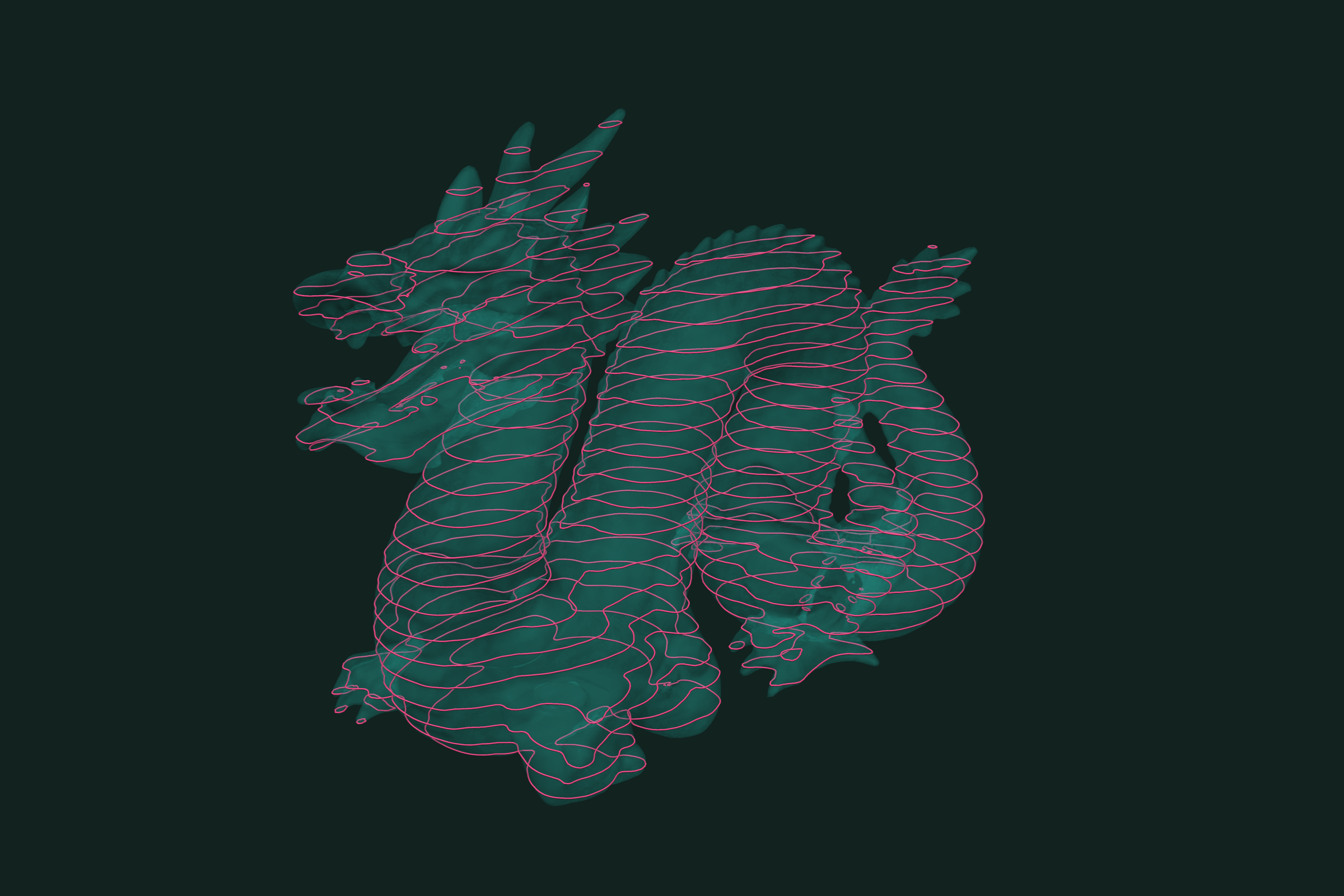
Slicing a mesh by a plane gives the cross-section: the closed curves where the plane cuts the surface. Stack many parallel slices and you have the layers of a 3D print, or the sections of a survey. In trueform a slice is an isocontour. Give each point its signed distance to the plane, and the slice is where that distance is zero. One pip install. NumPy arrays in, NumPy arrays out. This tutorial covers one slice, a slice by any plane, stacked slices, and sections along an axis.
Install
pip install trueform
See the installation guide for all options.
Loading the mesh
import trueform as tf
import numpy as np

mesh = tf.Mesh(*tf.read_stl("part.stl"))
tf.read_obj works the same way. If you already have NumPy arrays, pass them to tf.Mesh(faces, points). To follow along without a file, make a unit sphere:
faces, points = tf.make_sphere_mesh(1.0, 200, 400)
mesh = tf.Mesh(faces, points)
One horizontal slice
For a plane z = h, the field is the height itself. The slice is its isocontour at h.
height = mesh.points[:, 2]
paths, curve_points = tf.isocontours(mesh, height, 0.25)

for path_ids in paths:
    loop = curve_points[path_ids]   # (n, 3), every z is 0.25
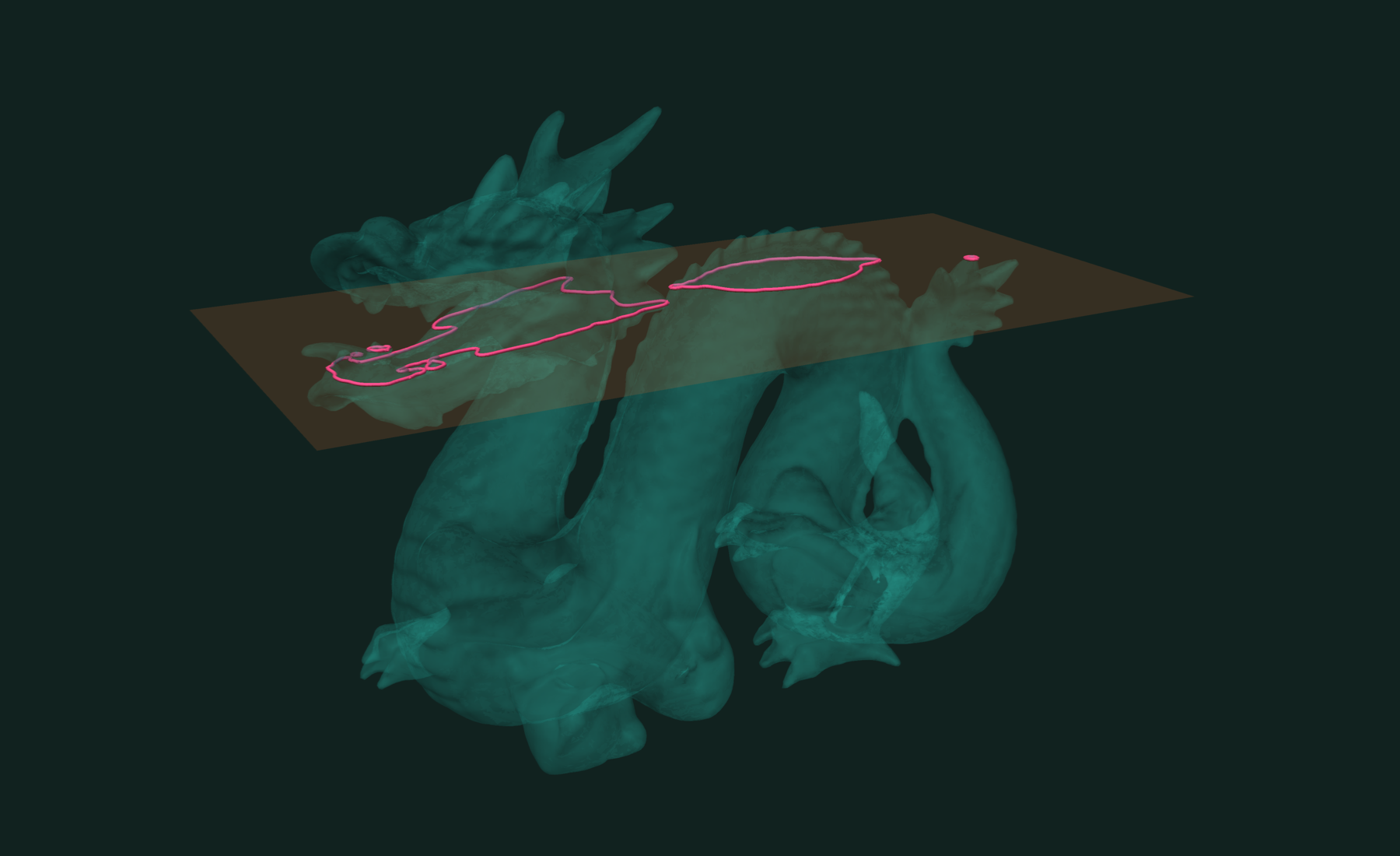
paths holds one index list per curve. On a closed mesh each curve is a closed loop, and the last id repeats the first. A part with holes or several bodies gives several loops in one slice.
Slice by any plane
For a tilted plane, use the signed distance to the plane as the field. tf.distance from points to a tf.Plane is signed: negative on one side, positive on the other.
normal = np.array([1.0, 1.0, 1.0], dtype=np.float32)
normal /= np.linalg.norm(normal)
origin = np.array([0.0, 0.0, 0.2], dtype=np.float32)

plane = tf.Plane.from_point_normal(origin, normal)
field = tf.distance(tf.Point(mesh.points), plane)

paths, curve_points = tf.isocontours(mesh, field, 0.0)
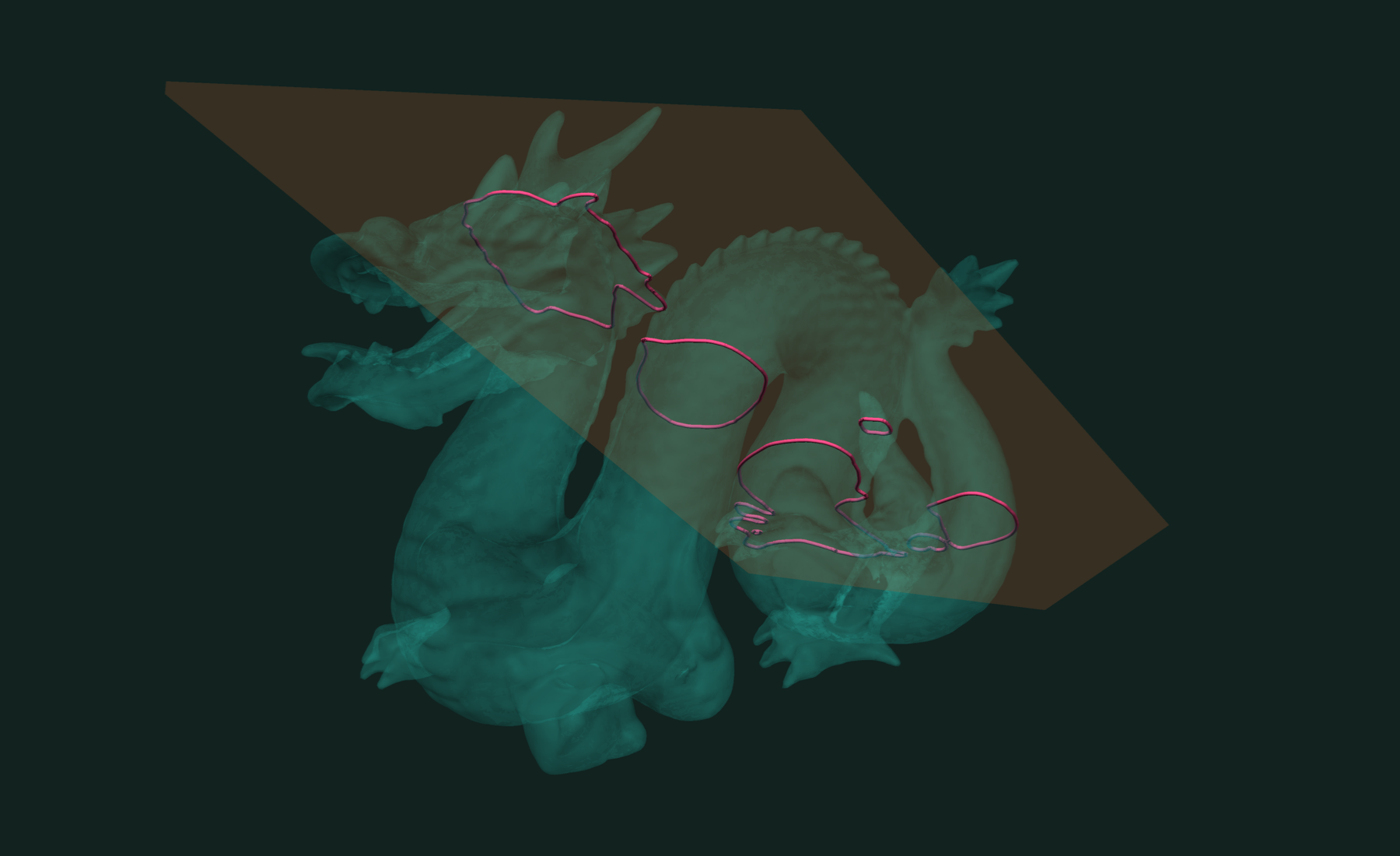
Every curve point lies on the plane. Build the plane from float32 arrays when the mesh is float32: the field must have the mesh's dtype. A plane built from Python lists, such as tf.Plane(normal=[0, 0, 1], offset=0.0), comes out float64 and tf.distance will raise a TypeError against a float32 mesh.
The same field is a dot product, if you prefer NumPy:
field = mesh.points @ normal - np.float32(normal @ origin)
Stacked slices for 3D printing
Parallel planes are levels of one field. Pass them all in one call:
layer_height = 0.1
z_min, z_max = height.min(), height.max()
levels = np.arange(z_min + layer_height / 2, z_max, layer_height,
                   dtype=np.float32)

paths, curve_points = tf.isocontours(mesh, height, levels)
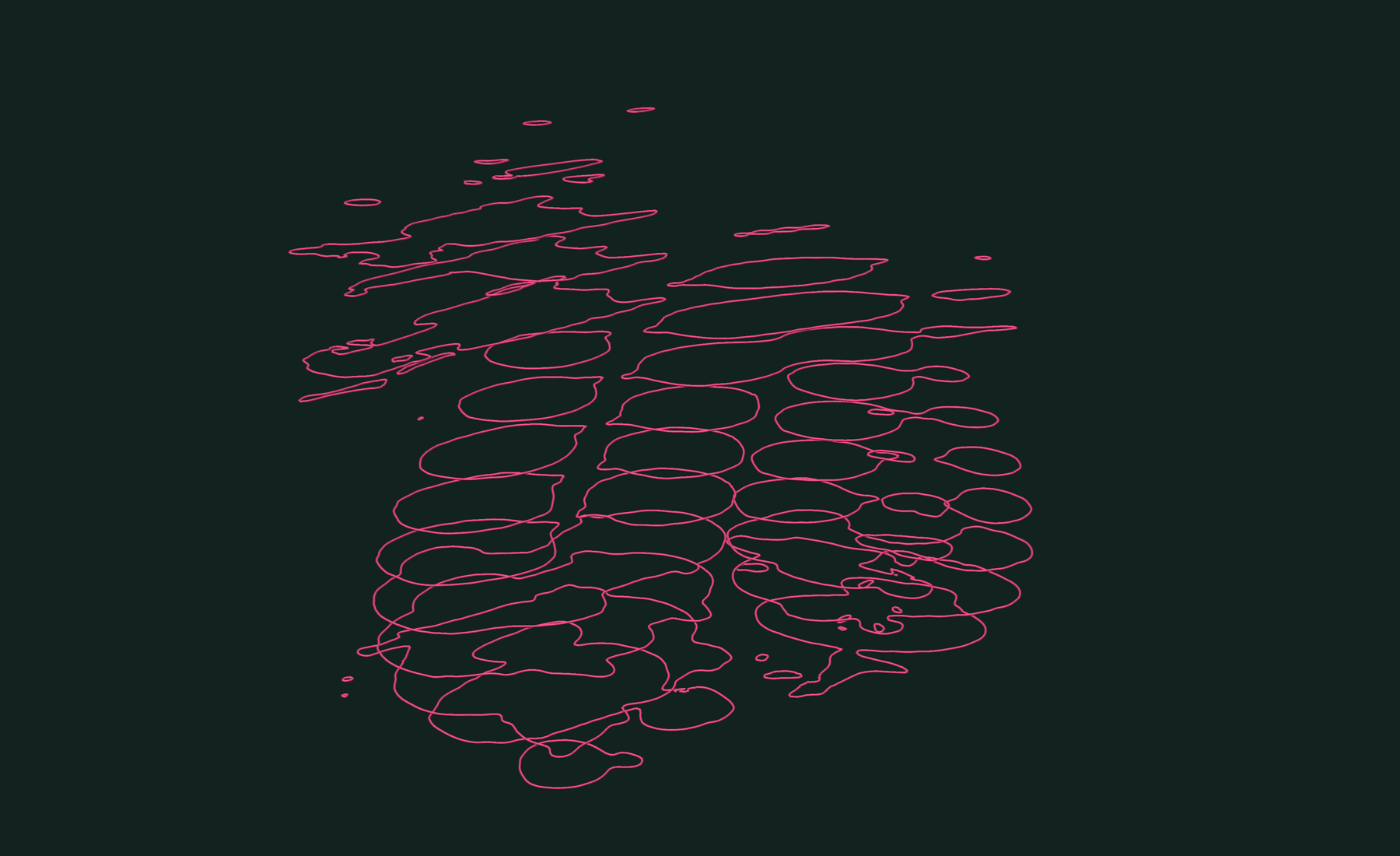
This gives every loop of every layer. The levels must have the mesh's dtype. The loops do not come back in layer order. Each loop lies at one height, so read its layer from its first point:
z_of_loop = np.array([curve_points[p[0], 2] for p in paths])
layer_of_loop = np.rint((z_of_loop - levels[0]) / layer_height).astype(int)
Or slice layer by layer, and keep 2D outlines for a slicer:
layers = []
for z in levels:
    lp, lc = tf.isocontours(mesh, height, float(z))
    layers.append([lc[p][:, :2] for p in lp])   # list of (n, 2) loops
Slicing at the middle of each layer, as above, is the usual choice for print slicers.
Survey sections along an axis
For sections across a road, a riverbed, or a tunnel, slice along the axis. The field is the chainage, the distance along the axis. The stations are its levels.
direction = np.array([1.0, 0.0, 0.0], dtype=np.float32)
chainage = mesh.points @ direction
stations = np.arange(-0.8, 0.81, 0.2, dtype=np.float32)

paths, curve_points = tf.isocontours(mesh, chainage, stations)
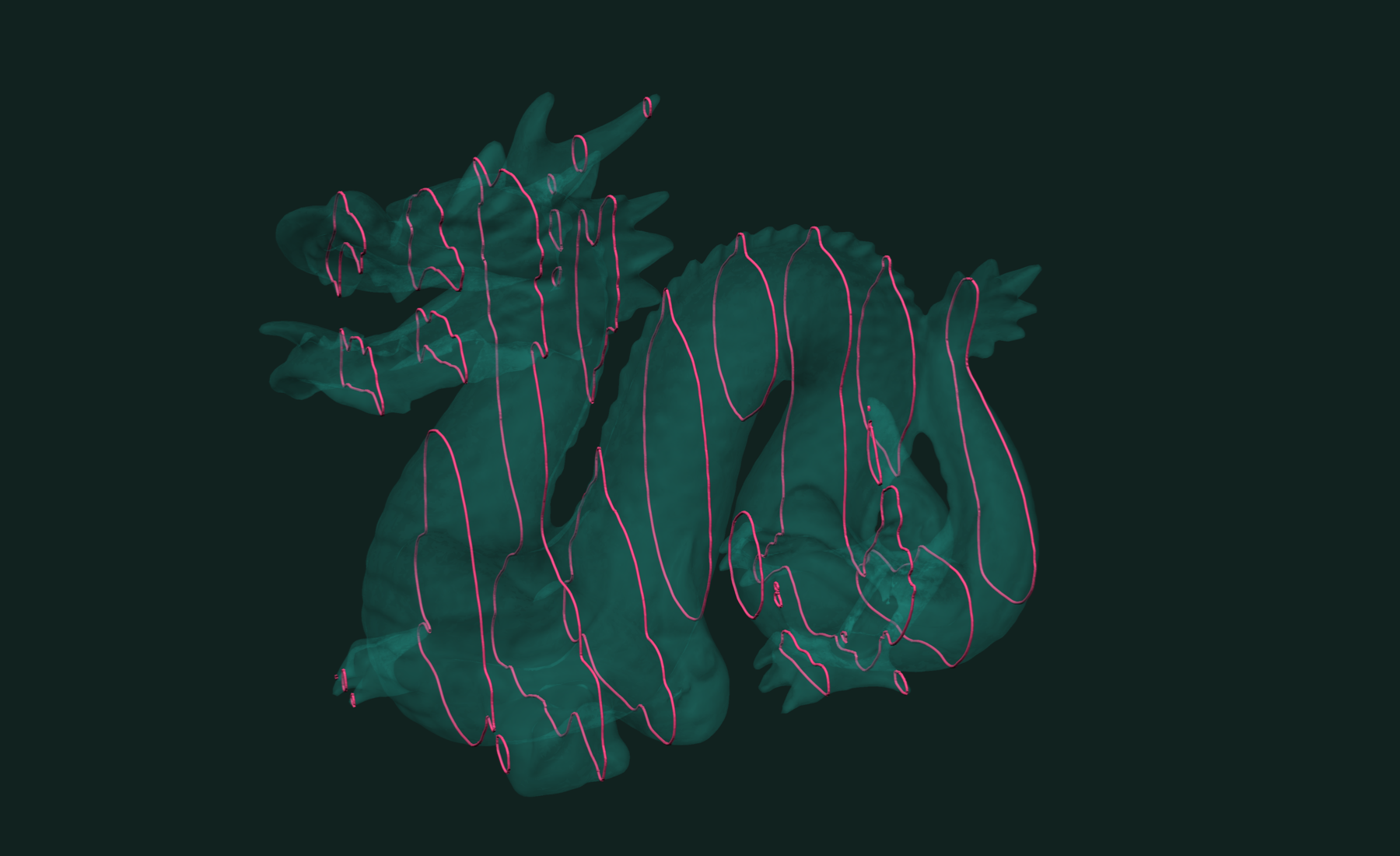
To draw a section, map its points to offset and elevation:
up = np.array([0.0, 0.0, 1.0], dtype=np.float32)
side = np.cross(up, direction)

for path_ids in paths:
    s = curve_points[path_ids]
    profile = np.column_stack([s @ side, s @ up])   # (n, 2)
If the sections are not parallel, for example along a curved alignment, slice once per plane with the signed-distance field from the previous section.
Working with results
A closed loop is a polygon. Its area, by the shoelace formula:
lp, lc = tf.isocontours(mesh, height, 0.0)
ring = lc[lp[0]][:, :2]
area = 0.5 * abs(ring[:-1, 0] @ ring[1:, 1] - ring[1:, 0] @ ring[:-1, 1])
# close to pi for the unit sphere's equator
To keep the solid part between two planes as a mesh, use isobands. They cut the mesh along the slices:
cuts = np.array([-0.2, 0.2], dtype=np.float32)
(slab_faces, slab_points), labels, face_labels = tf.isobands(
    mesh, height, cuts, selected_bands=[1])

tf.write_obj((slab_faces, slab_points), "slab.obj")
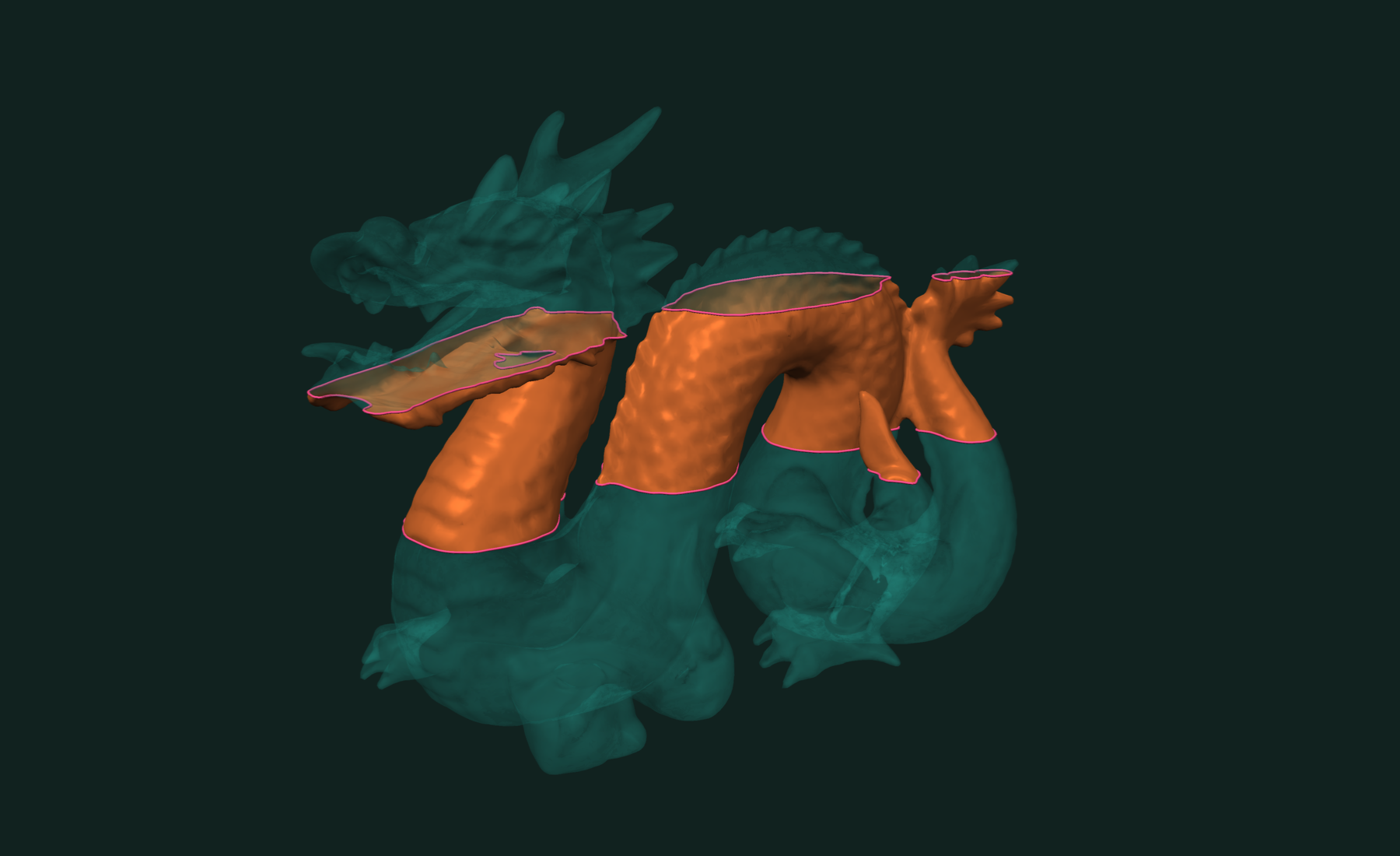
The slab is open at the cuts. face_labels maps each slab face back to its source face.
Slicing works for any scalar field, not only planes. See isocontours on a triangle mesh. To cut a mesh by another mesh, use intersection curves or booleans.
Related tutorials
- Fast and Robust Isocontours on a Triangle Mesh in Python — curves and bands of equal value on a scalar field.
- Fast and Exact Constrained Delaunay Triangulation in Python — triangulate points and outlines, with holes and constraints.
- Fast and Exact Mesh Intersection Curves in Python — exact curves where two or more meshes cross.
- Fast Connected Components in Python — split a mesh into parts and find its boundary loops.
Performance
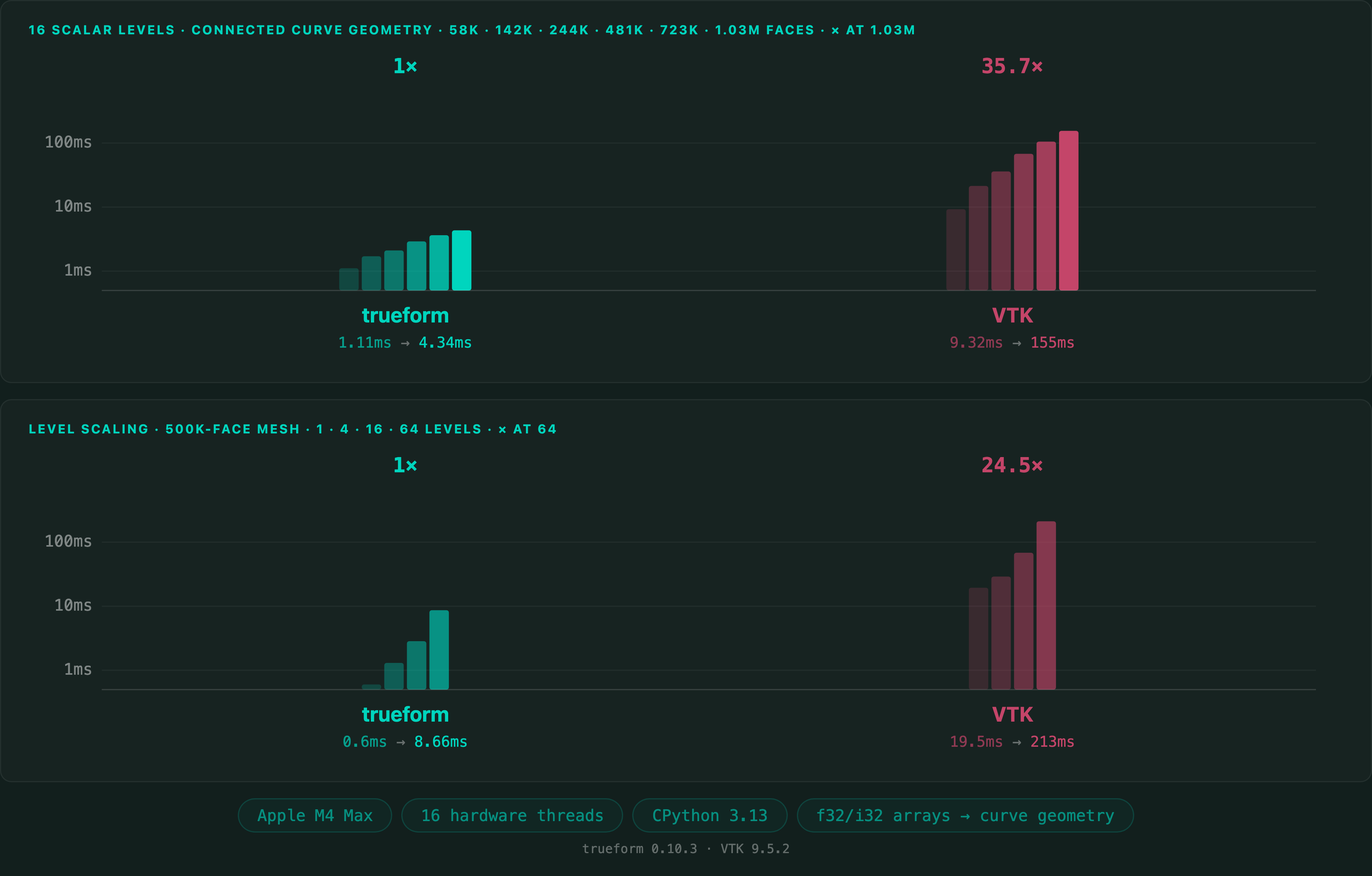
A stack of slices is one isocontour call with many levels.
Apple M4 Max 16 threads
Full benchmarks · Documentation
@article{polydera:mesh-slicing-and-cross-sections-in-python,
  title={Fast and Robust Mesh Slicing and Cross-Sections in Python},
  author={Sajovic, {\v{Z}}iga, Polydera},
  year={2026},
  url={https://polydera.com/tutorials/mesh-slicing-and-cross-sections-in-python},
  organization={Polydera}
}