Fast and Robust Mesh Slicing and Cross-Sections in C++
Slice a triangle mesh by planes in C++. One cross-section, any tilted plane, stacked layers for 3D printing, survey sections along an axis, and filled sections. Header-only, C++17. 5.9 ms on 1M polygons.
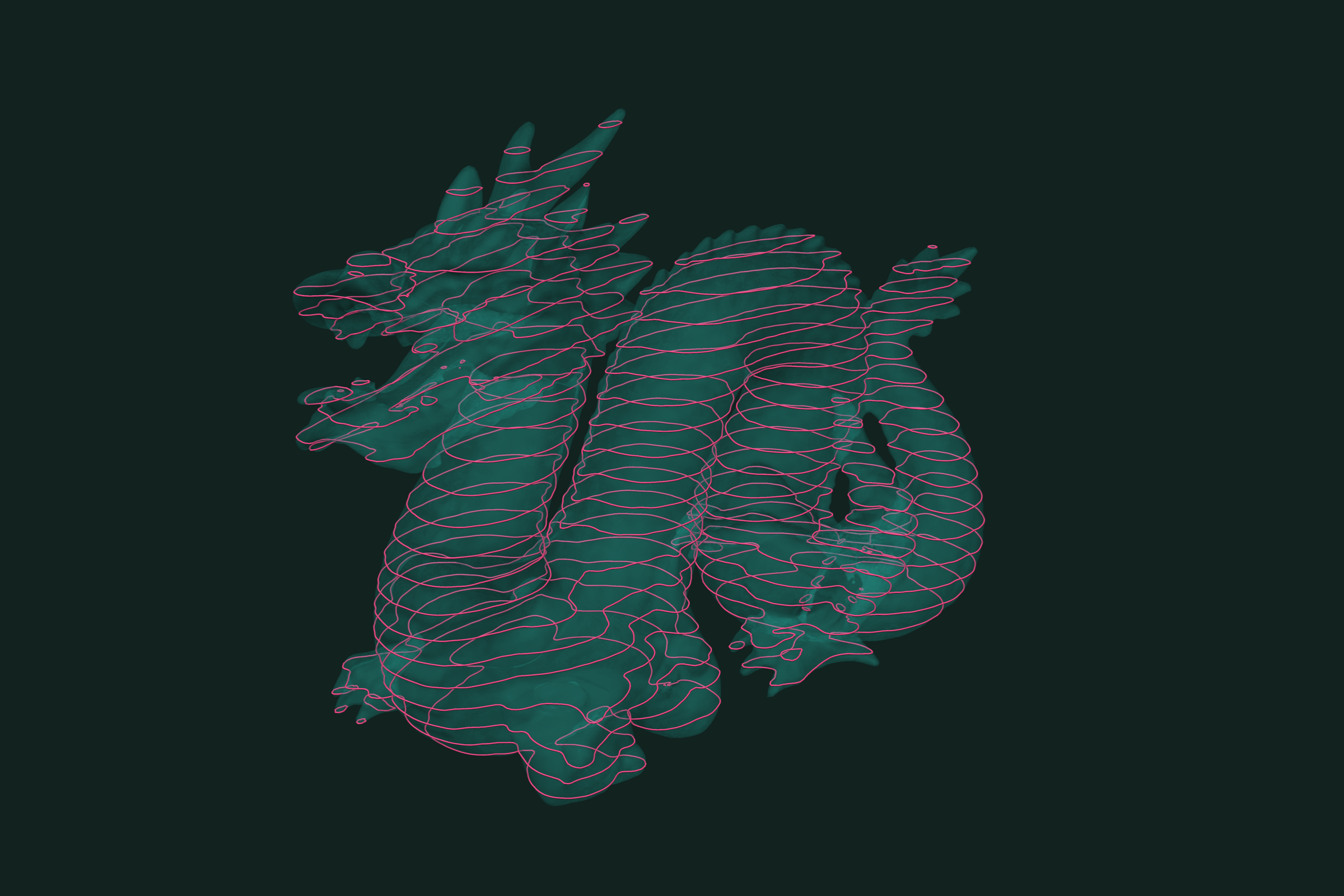
Slicing a mesh by a plane gives the cross-section: the closed curves where the plane cuts the surface. Stack many parallel slices and you have the layers of a 3D print, or the sections of a survey. In trueform a slice is an isocontour. Give each point its signed distance to the plane, and the slice is where that distance is zero. It is header-only C++17. This tutorial covers one slice, a slice by any plane, stacked slices, sections along an axis, and filled sections.
Install
Header-only. It needs C++17 and oneTBB. Add it to your project via CMake FetchContent:
FetchContent_Declare(
  trueform
  GIT_REPOSITORY https://github.com/polydera/trueform
)
FetchContent_MakeAvailable(trueform)
target_link_libraries(my_app PRIVATE tf::trueform)
Also available via conan, nuget, and pip. See the installation guide for all options.
Loading the mesh
#include <trueform/trueform.hpp>

auto mesh_buffer = tf::read_stl("part.stl");
auto mesh = mesh_buffer.polygons();
tf::read_stl returns a tf::polygons_buffer that owns the data. .polygons() is a view on it. tf::read_obj works the same way. If your faces and points already live in your own arrays, wrap them with tf::make_polygons(tf::make_faces<3>(faces), tf::make_points<3>(points)). No copy is made. To follow along without a file, tf::make_sphere_mesh(1.f, 100, 200) gives a unit sphere.
One horizontal slice
For a plane z = h, the field is the height itself. The slice is its isocontour at h.
tf::buffer<float> height;
height.allocate(mesh.points().size());
tf::parallel_transform(mesh.points(), height,
                       [](auto pt) { return pt[2]; });

auto slice = tf::make_isocontours(mesh, tf::make_range(height), 0.25f);

for (auto loop : slice.curves()) {
  for (auto pt : loop) {
    // pt[2] == 0.25
  }
}
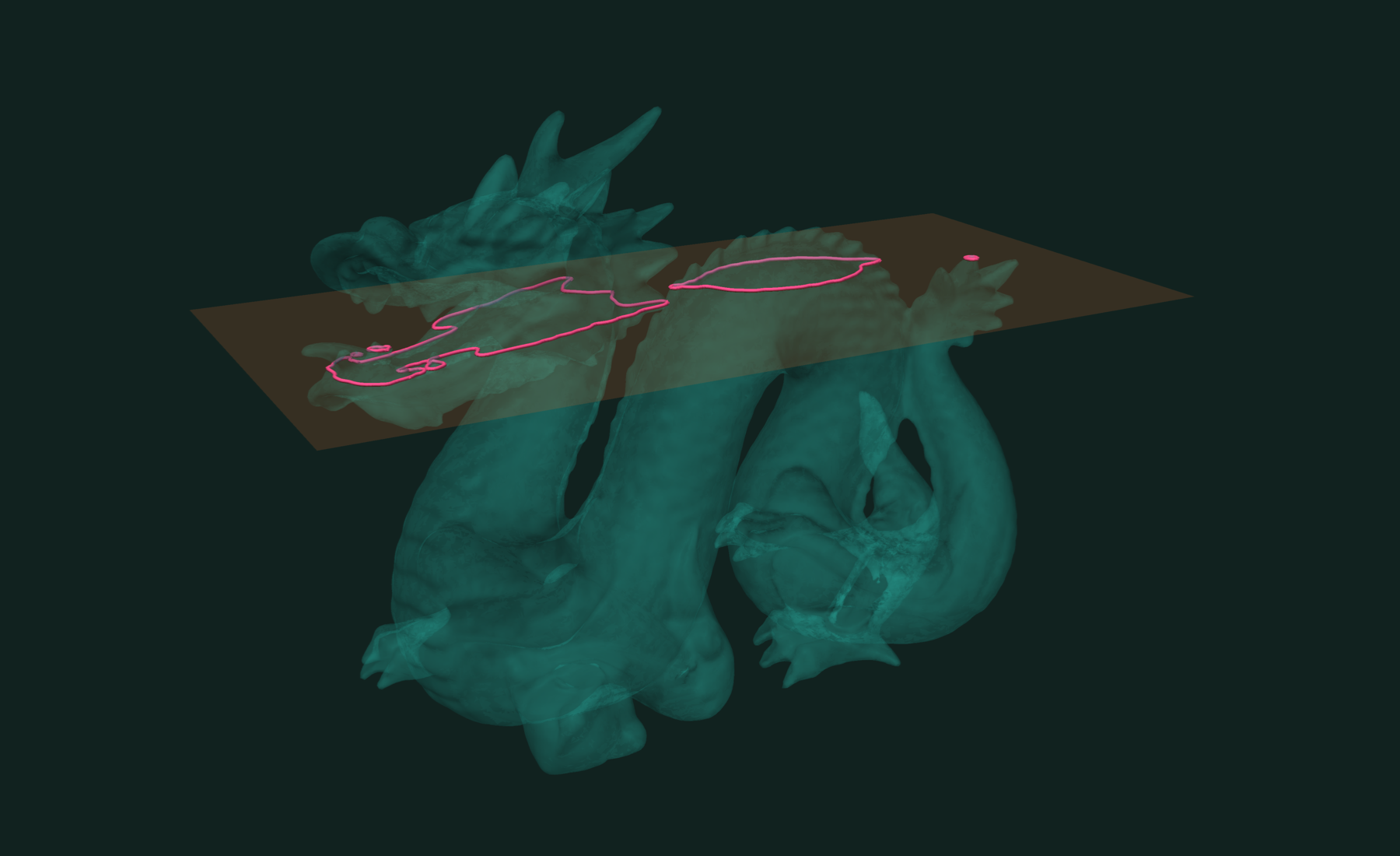
The result is a tf::curves_buffer: points, and one index path per curve. On a closed mesh each curve is a closed loop, and the last id repeats the first. A part with holes or several bodies gives several loops in one slice.
Slice by any plane
For a tilted plane, use the signed distance to the plane as the field. tf::distance_f(plane) is signed: negative on one side, positive on the other.
auto normal = tf::make_unit_vector(1.f, 1.f, 1.f);
auto origin = tf::make_point(0.f, 0.f, 0.2f);
auto plane = tf::make_plane(normal, origin);

tf::buffer<float> field;
field.allocate(mesh.points().size());
tf::parallel_transform(mesh.points(), field, tf::distance_f(plane));

auto section = tf::make_isocontours(mesh, tf::make_range(field), 0.f);
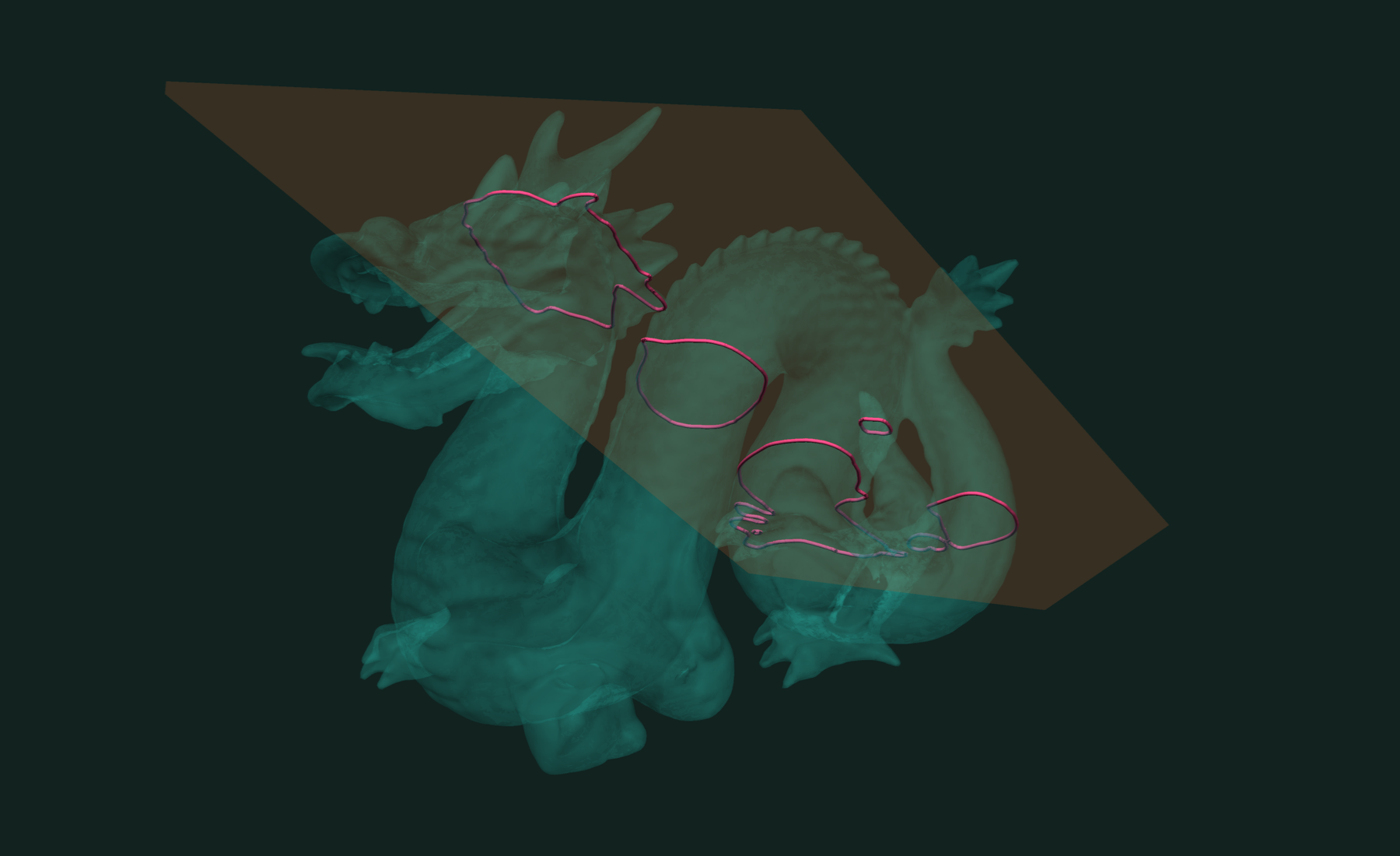
Every curve point lies on the plane. tf::make_unit_vector normalizes for you.
Stacked slices for 3D printing
Parallel planes are levels of one field. Pass them all in one call:
float layer_height = 0.1f;
auto [z_min, z_max] = std::minmax_element(height.begin(), height.end());

std::vector<float> levels;
for (float z = *z_min + layer_height / 2; z < *z_max; z += layer_height)
  levels.push_back(z);

auto layers = tf::make_isocontours(mesh, tf::make_range(height),
                                   tf::make_range(levels));
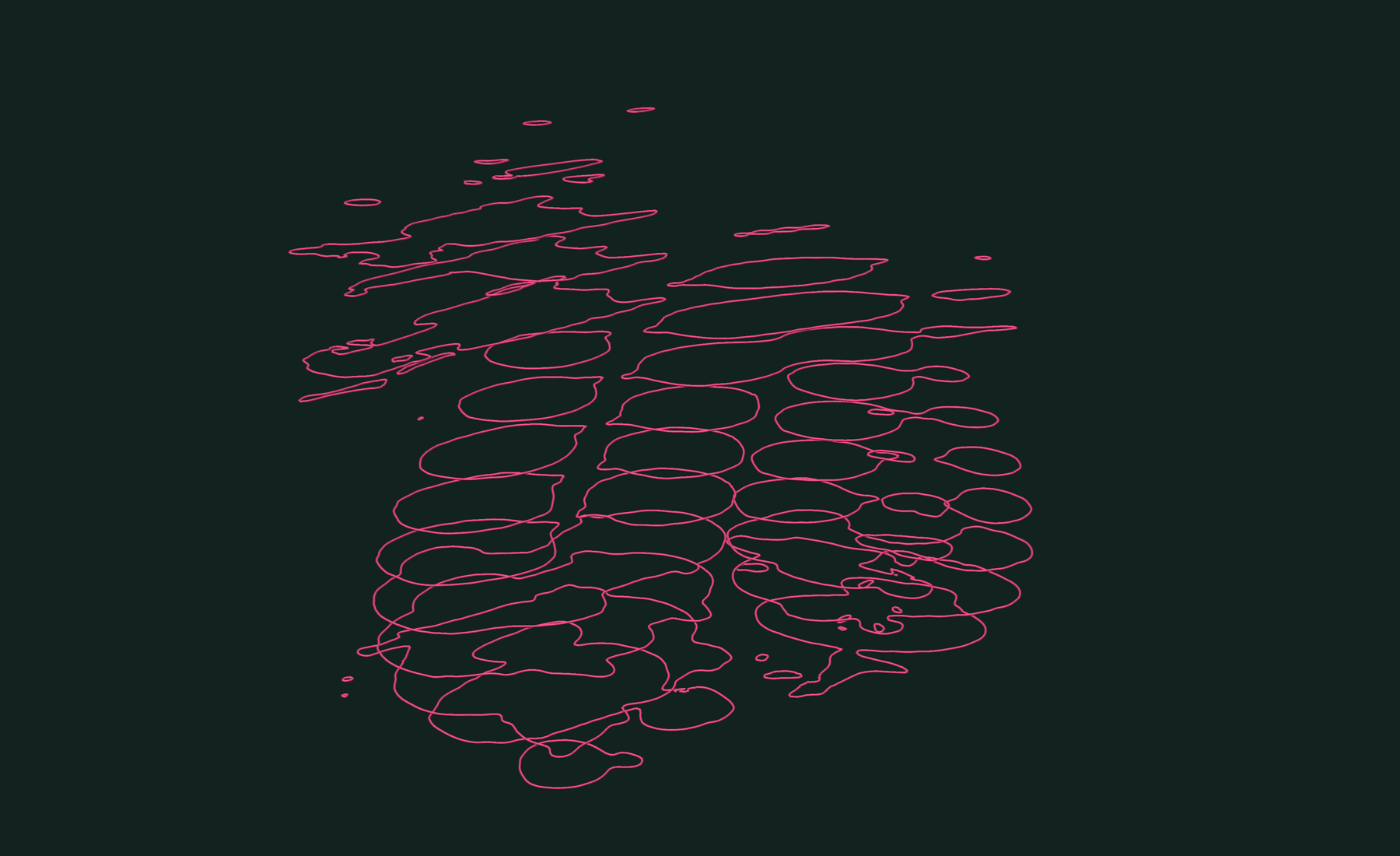
This gives every loop of every layer. The loops do not come back in layer order. Each loop lies at one height, so read its layer from its first point:
std::vector<int> layer_of_loop;
for (auto path : layers.paths()) {
  float z = layers.points()[path.front()][2];
  layer_of_loop.push_back((int)std::lround((z - levels[0]) / layer_height));
}
Or slice layer by layer, and keep 2D outlines for a slicer:
// outlines[layer][loop][point] = {x, y}
std::vector<std::vector<std::vector<std::array<float, 2>>>> outlines;

for (float z : levels) {
  auto layer = tf::make_isocontours(mesh, tf::make_range(height), z);
  auto &loops = outlines.emplace_back();
  for (auto loop : layer.curves()) {
    auto &outline = loops.emplace_back();
    for (auto pt : loop) outline.push_back({pt[0], pt[1]});
  }
}
Slicing at the middle of each layer, as above, is the usual choice for print slicers.
Survey sections along an axis
For sections across a road, a riverbed, or a tunnel, slice along the axis. The field is the chainage, the distance along the axis. The stations are its levels.
auto direction = tf::make_unit_vector(1.f, 0.f, 0.f);

tf::buffer<float> chainage;
chainage.allocate(mesh.points().size());
tf::parallel_transform(mesh.points(), chainage, [&](auto pt) {
  return tf::dot(pt.as_vector_view(), direction);
});

std::vector<float> stations;
for (float s = -0.8f; s <= 0.81f; s += 0.2f) stations.push_back(s);

auto sections = tf::make_isocontours(mesh, tf::make_range(chainage),
                                     tf::make_range(stations));
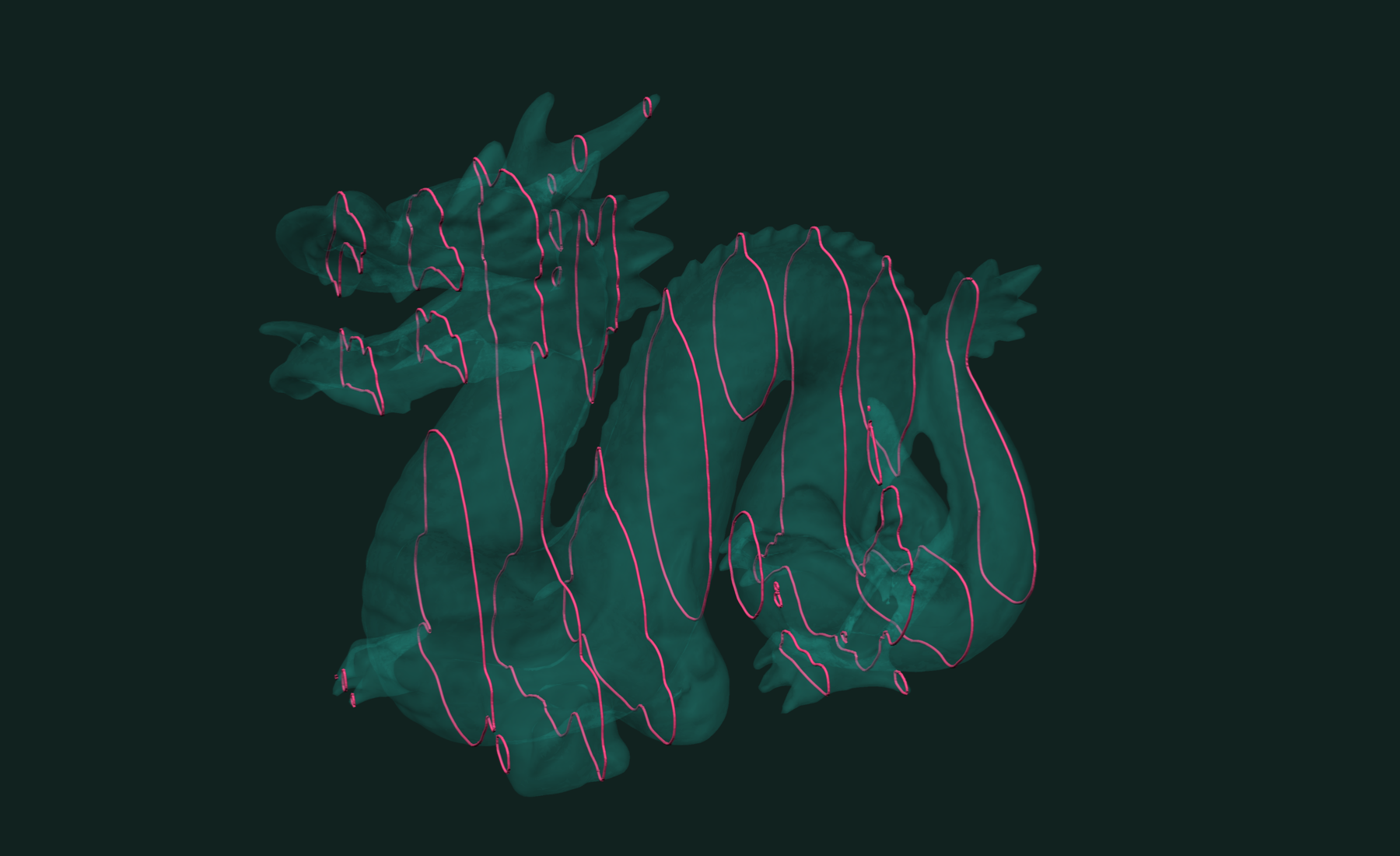
To draw a section, map its points to offset and elevation:
auto up = tf::make_unit_vector(0.f, 0.f, 1.f);
auto side = tf::make_unit_vector(tf::cross(up, direction));

for (auto curve : sections.curves()) {
  std::vector<std::array<float, 2>> profile;   // offset, elevation
  for (auto pt : curve)
    profile.push_back({tf::dot(pt.as_vector_view(), side),
                       tf::dot(pt.as_vector_view(), up)});
}
If the sections are not parallel, for example along a curved alignment, slice once per plane with the signed-distance field from the previous section.
Filled cross-sections
A closed loop on a plane is a polygon. tf::triangulated fills it. Each loop is filled on its own, so a slice through a part with a hole gives two filled disks, not a ring:
auto equator = tf::make_isocontours(mesh, tf::make_range(height), 0.f);
auto cap = tf::triangulated(
    tf::make_polygons(equator.paths(), equator.points()));

float area = 0.f;
for (auto triangle : cap.polygons()) area += tf::area(triangle);
// close to pi for the unit sphere's equator

tf::write_stl(cap.polygons(), "section.stl");
Working with results
To keep the solid part between two planes as a mesh, use isobands. They cut the mesh along the slices:
std::array<float, 2> cuts{-0.2f, 0.2f};
std::array<int, 1> keep{1};
auto [slab, labels, face_labels] = tf::make_isobands(
    mesh, tf::make_range(height), tf::make_range(cuts),
    tf::make_range(keep));

tf::write_obj(slab.polygons(), "slab.obj");
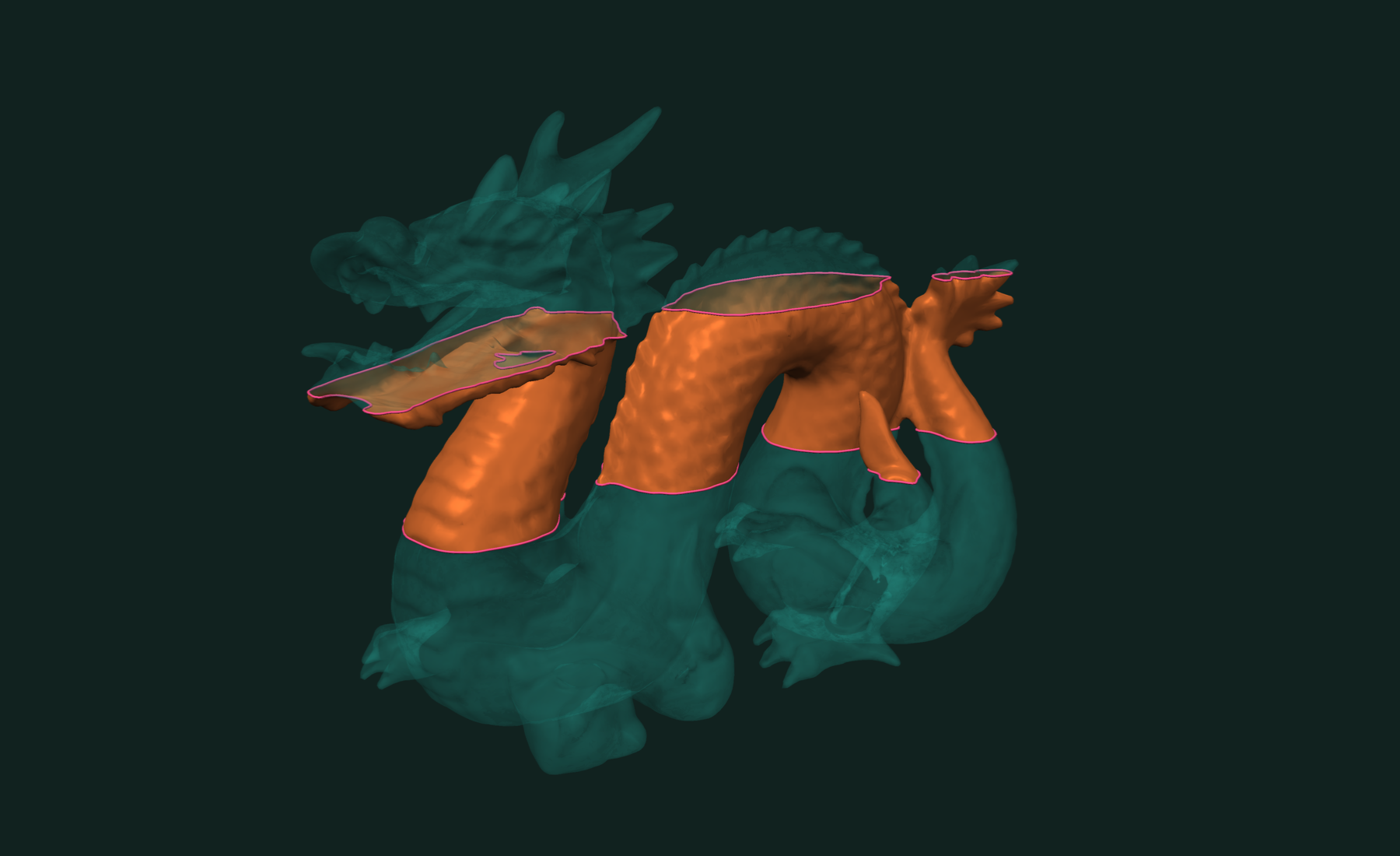
The slab is open at the cuts. face_labels maps each slab face back to its source face.
To split the mesh in two at a plane, embed the slice and split by band:
std::array<float, 1> at{0.f};
auto [halves, half_labels, half_face_labels] = tf::embedded_isocurves(
    mesh, tf::make_range(height), tf::make_range(at));

auto [pieces, piece_labels] =
    tf::split_into_components(halves.polygons(), half_labels);
tf::write_stl(pieces[0].polygons(), "below.stl");
tf::write_stl(pieces[1].polygons(), "above.stl");
Slicing works for any scalar field, not only planes. See isocontours on a triangle mesh. To cut a mesh by another mesh, use intersection curves or booleans.
Related tutorials
- Fast and Robust Isocontours on a Triangle Mesh in C++ — curves and bands of equal value on a scalar field.
- Fast and Exact Constrained Delaunay Triangulation in C++ — triangulate points and outlines, with holes and constraints.
- Fast and Exact Mesh Intersection Curves in C++ — exact curves where two or more meshes cross.
- Fast Connected Components in C++ — split a mesh into parts and find its boundary loops.
Performance
A slice is an isocontour, so the isocontour benchmark is the slicing benchmark. We measured on the Stanford dragon, against VTK and libigl.
Apple M4 Max 16 threads

Full benchmarks · Documentation
@article{polydera:mesh-slicing-and-cross-sections-in-cpp,
  title={Fast and Robust Mesh Slicing and Cross-Sections in C++},
  author={Sajovic, {\v{Z}}iga, Polydera},
  year={2026},
  url={https://polydera.com/tutorials/mesh-slicing-and-cross-sections-in-cpp},
  organization={Polydera}
}