Fast and Robust Mesh Slicing and Cross-Sections in JavaScript
Slice a triangle mesh with a plane in JavaScript and TypeScript. One cross-section, many layers at once, filled section polygons, and slabs cut out as meshes. WebAssembly, runs in Node.js and the browser.
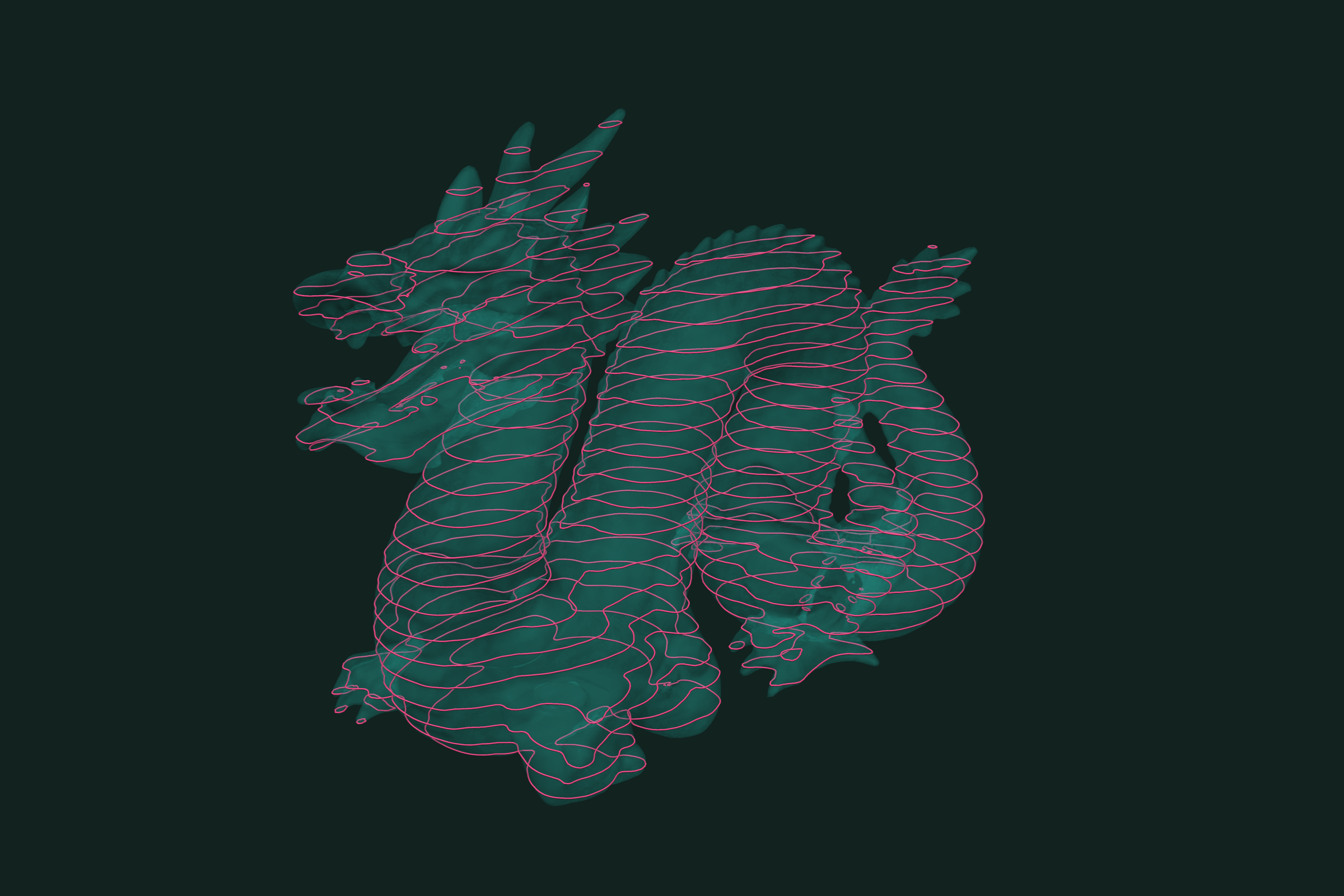
A cross-section is the curve where a plane cuts a mesh. Slicing is many cross-sections at once, one per layer. 3D printing, CNC, inspection and medical imaging all need them. In trueform a slice is an isocontour of the distance to a plane, so one call gives one section or a whole stack. One npm install. It runs as WebAssembly in Node.js and the browser, with TypeScript types. This tutorial covers a single plane, many layers, filled sections, and cutting the mesh into slabs.
Install
npm install @polydera/trueform
The WebAssembly binary loads on first use. In the browser, multithreading needs SharedArrayBuffer headers. See the installation guide.
Loading the mesh
import * as tf from "@polydera/trueform";
import { readFileSync } from "node:fs";

const mesh = tf.readStl(readFileSync("part.stl"));
In the browser, pass the bytes from fetch instead. tf.readObj works the same way. To follow along without a file, make a unit sphere:
const mesh = tf.sphereMesh(1.0, 100, 200);
One cross-section
A plane is a normal and an offset. Points on it satisfy n · x + offset = 0, so the plane z = 0.25 has offset -0.25. Take the signed distance from every mesh point to the plane, then extract the zero level:
const plane = tf.plane(tf.vector(0, 0, 1), -0.25);
const d = tf.distance(tf.point(mesh.points), plane);  // one value per point

const section = tf.isocontours(mesh, d, 0.0);
// section.paths:  one index list per curve
// section.points: NDArray [n, 3]
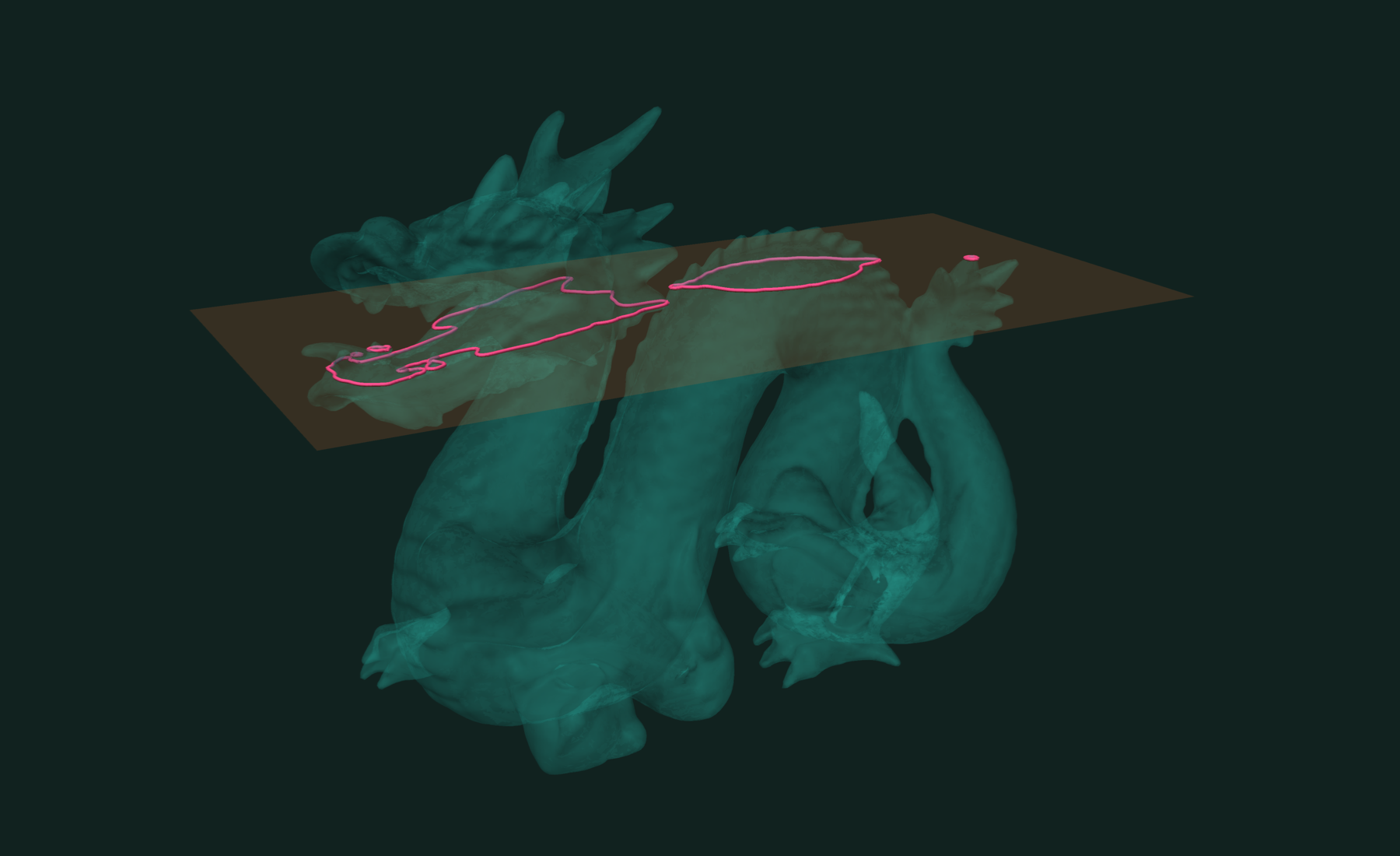
On the sphere there is one closed curve, a circle of radius √(1 − 0.25²). A part with holes or several bodies gives several curves.
Build the normal with tf.vector. In 0.10.8, a plain array or Float32Array normal passed with a separate offset gives a wrong plane. The packed form tf.plane([0, 0, 1, -0.25]) works too.
Any direction works. Normalize the normal so the distance is in model units:
const tilted = tf.plane(tf.normalize(tf.vector(1, 0, 1)), 0);
const dt = tf.distance(tf.point(mesh.points), tilted);
const tiltedSection = tf.isocontours(mesh, dt, 0.0);
Many layers
For layers along an axis, the field is the coordinate itself. Pass all layer heights in one call:
const z = mesh.points.take(null, 2);  // the z column
const layer = 0.1;
const levels = Array.from({ length: 19 }, (_, i) => -0.9 + layer * i);

const slices = tf.isocontours(mesh, z, levels);
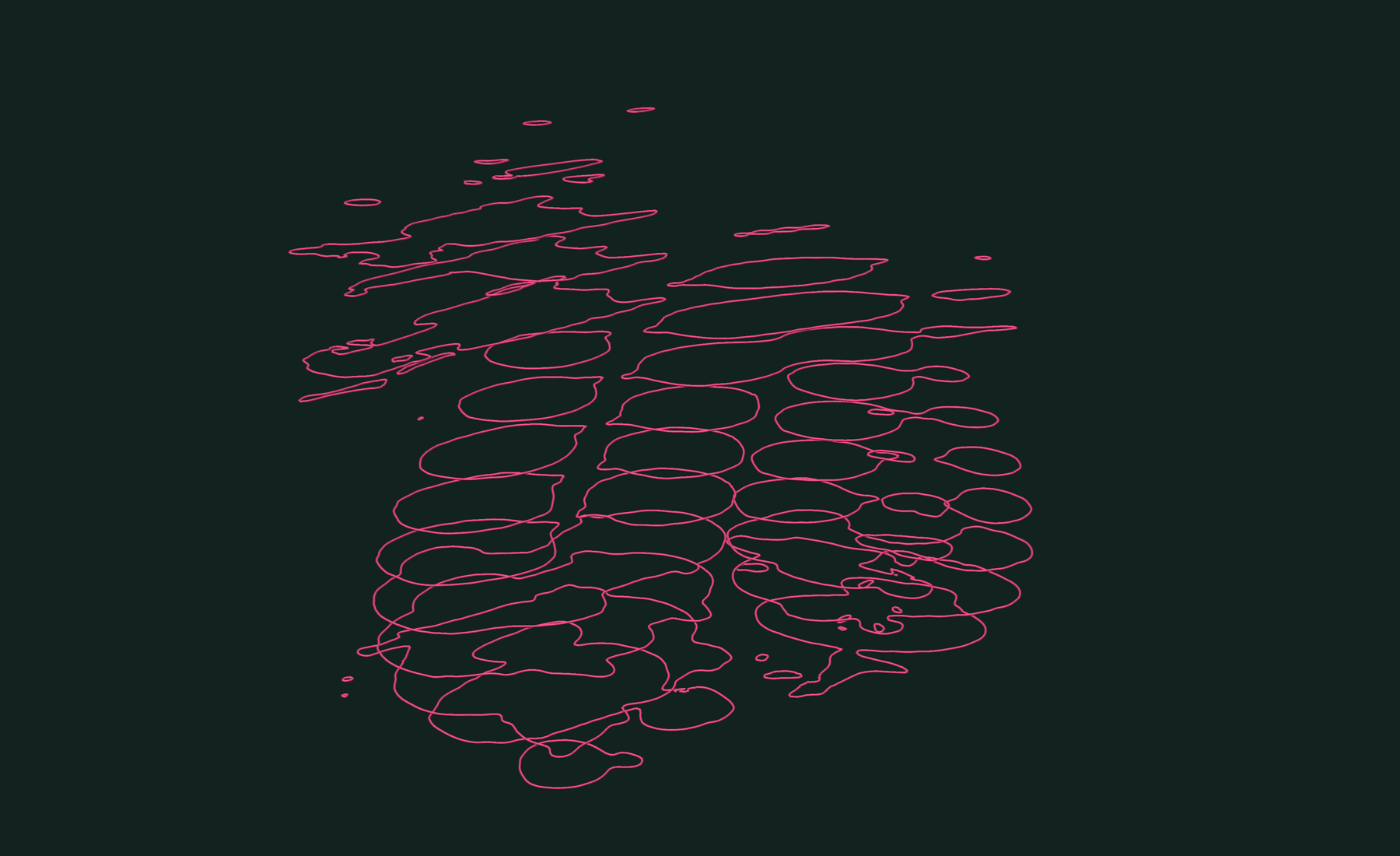
The curves do not come back in level order. For height slices, read the layer from the curve itself: every point on it has the layer height as its z.
const p = slices.points.data;
for (const pathIds of slices.paths) {
  const ids = pathIds.data;
  const height = p[3 * ids[0] + 2];
}
For layers along any other direction, use the plane distance from the previous section as the field and pass the offsets as levels.
Filled sections
A closed section curve repeats its first index at the end. Drop it, gather the points, and triangulate the polygon:
function loopPoints(curves, i) {
  const ids = curves.paths.get(i).data;
  const p = curves.points.data;
  const n = ids[0] === ids[ids.length - 1] ? ids.length - 1 : ids.length;
  const out = new Float32Array(3 * n);
  for (let k = 0; k < n; k++) out.set(p.subarray(3 * ids[k], 3 * ids[k] + 3), 3 * k);
  return out;
}

const cap = tf.triangulate(tf.polygon(loopPoints(section, 0)));
tf.area(cap);  // section area
On the sphere at z = 0.25 the area comes out at 2.94, against π(1 − 0.25²) ≈ 2.95 for the true circle. This fills one loop. A section with holes needs the loops nested first.
Slabs
To cut the mesh itself, not just get the curves, use isobands. The mesh is split along the section curves, so they become edges:
const { mesh: cut, labels } = tf.isobands(mesh, z, [-0.5, 0.0, 0.5]);
const { components } = tf.splitIntoComponents(cut, labels);
// four slabs, bottom to top
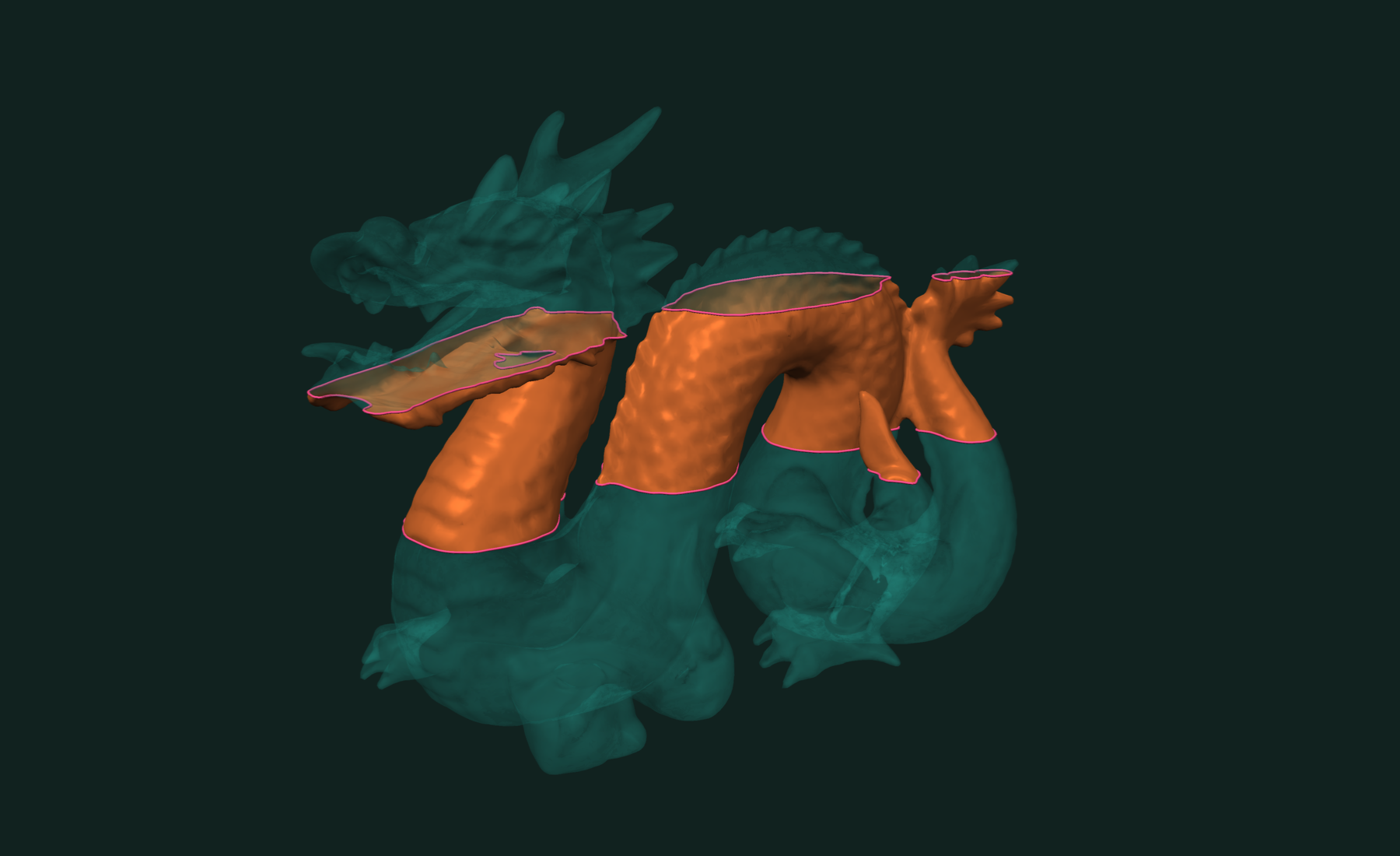
Keep one slab, with its rims:
const { mesh: band, curves } = tf.isobands(
  mesh, z, [-0.5, 0.5], { selectedBands: [1], returnCurves: true });
Working with results
paths is an OffsetBlockedBuffer and points an NDArray. curves.paths.offsets.data and curves.paths.data.data give the raw Int32Arrays, ready for a line renderer or a G-code writer.
To show the sections as solid geometry, sweep them into tubes:
const tubes = tf.tubeMesh(slices, 0.005);
Write the slab to a file:
const stlBytes = tf.writeStl(band).data; // Int8Array, save or download
The field is computed from mesh.points, the stored coordinates. If the mesh carries a transformation, express the plane in the mesh's own frame. For long slicing jobs in the browser, tf.async.isocontours and tf.async.isobands run off the main thread.
Slicing is a special case of isocontours. To cut by another mesh instead of a plane, use booleans or intersection curves.
Related tutorials
- Fast and Robust Isocontours on a Triangle Mesh in JavaScript — curves and bands of equal value on a scalar field.
- Fast and Exact Constrained Delaunay Triangulation in JavaScript — triangulate points and outlines, with holes and constraints.
- Fast and Exact Mesh Intersection Curves in JavaScript — exact curves where two or more meshes cross.
- Fast Connected Components in JavaScript — split a mesh into parts and find its boundary loops.
Performance
Apple M4 Max 16 threads Node.js WebAssembly
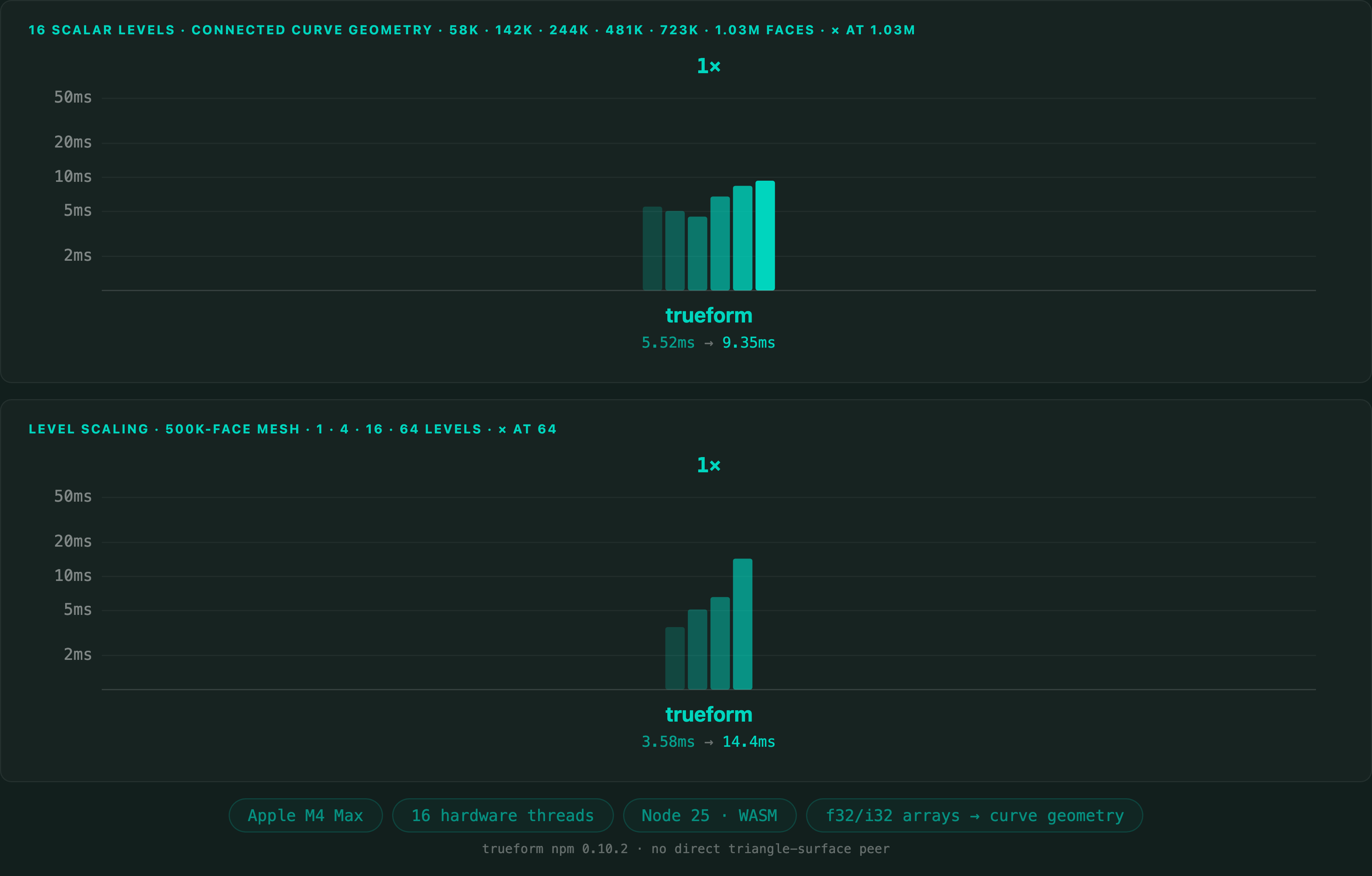
A slice is an isocontour. Isocontour extraction on a 1,025,766-polygon mesh takes 9.4 ms in Node.js. The JavaScript benchmark has no direct competitor on triangle surfaces, so there is no comparison here. The same core is measured against VTK on the Python and C++ pages.
Full benchmarks · Documentation
@article{polydera:mesh-slicing-and-cross-sections-in-javascript,
  title={Fast and Robust Mesh Slicing and Cross-Sections in JavaScript},
  author={Sajovic, {\v{Z}}iga, Polydera},
  year={2026},
  url={https://polydera.com/tutorials/mesh-slicing-and-cross-sections-in-javascript},
  organization={Polydera}
}