Fast and Robust Isocontours on a Triangle Mesh in JavaScript
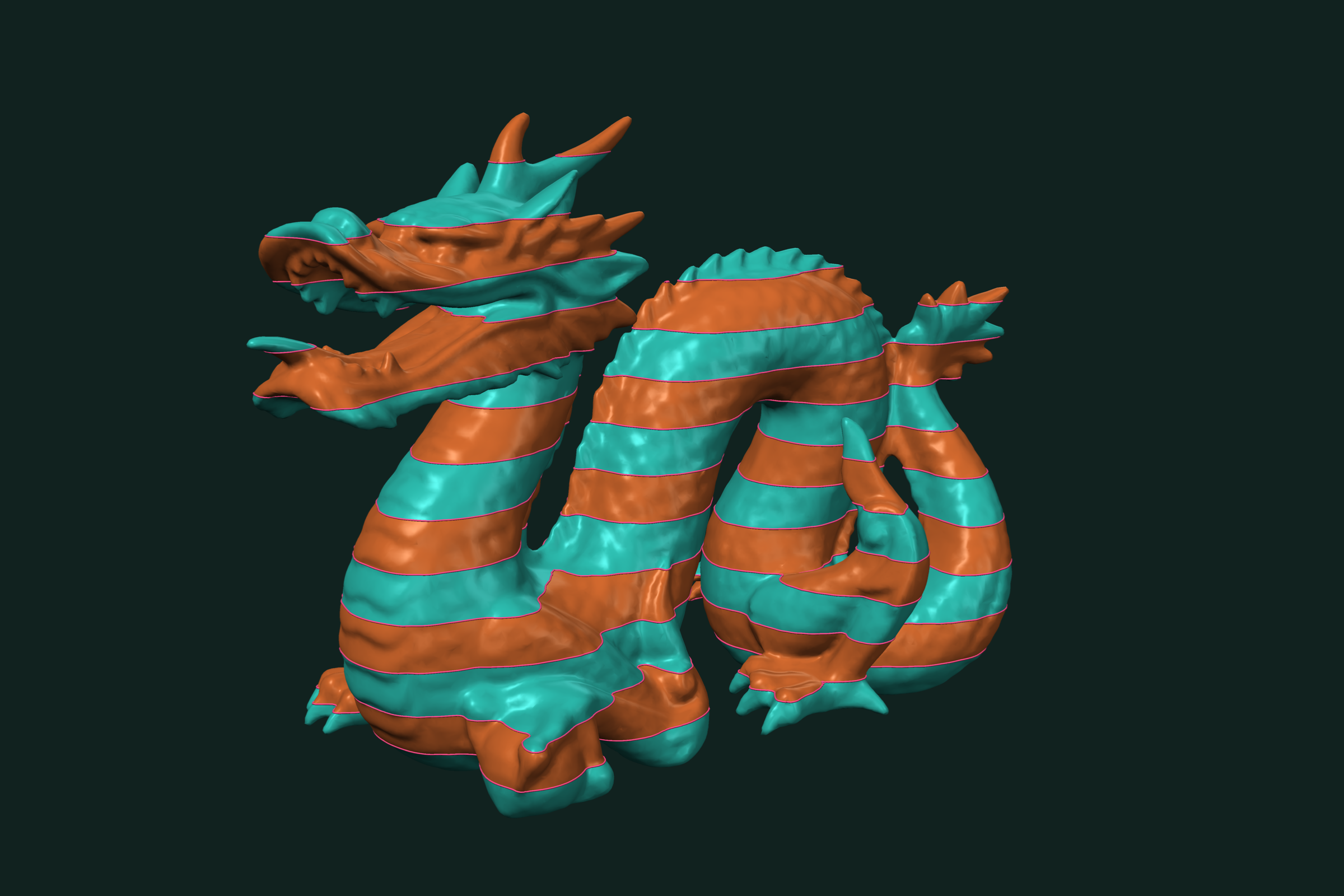
Extract isocontours (isolines) of any scalar field on a triangle mesh in JavaScript and TypeScript. One level or many at once, plus isobands that cut the mesh along the curves. WebAssembly, runs in Node.js and the browser.
An isocontour is the curve where a scalar field on a mesh takes a given value. Height gives contour lines. Distance from a point gives rings. Curvature gives the borders between shapes. trueform extracts isocontours of any per-vertex field, at one level or many, and cuts the mesh into isobands along them. One npm install. It runs as WebAssembly in Node.js and the browser, with TypeScript types. This tutorial covers single and multiple levels, the curve format, and isobands.
Install
npm install @polydera/trueform
The WebAssembly binary loads on first use. In the browser, multithreading needs SharedArrayBuffer headers. See the installation guide.
Loading the mesh
import * as tf from "@polydera/trueform";
import { readFileSync } from "node:fs";

const mesh = tf.readStl(readFileSync("terrain.stl"));
In the browser, pass the bytes from fetch instead. tf.readObj works the same way. If you already have typed arrays, pass them to tf.mesh(faces, points). To follow along without a file, make a small wavy terrain:
const flat = tf.planeMesh(2.0, 2.0, 200, 200);
const points = flat.points.clone();
const q = points.data;
for (let i = 0; i < q.length; i += 3) {
  q[i + 2] = 0.2 * Math.sin(3 * q[i]) * Math.cos(3 * q[i + 1]);
}
const mesh = tf.mesh(flat.faces, points);
The scalar field
A scalar field is one value per point, as an NDArray of shape [numberOfPoints]. It must have the mesh's dtype. Most meshes are float32, so most fields are float32.
Height is the simplest field:
const field = mesh.points.take(null, 2); // the z column
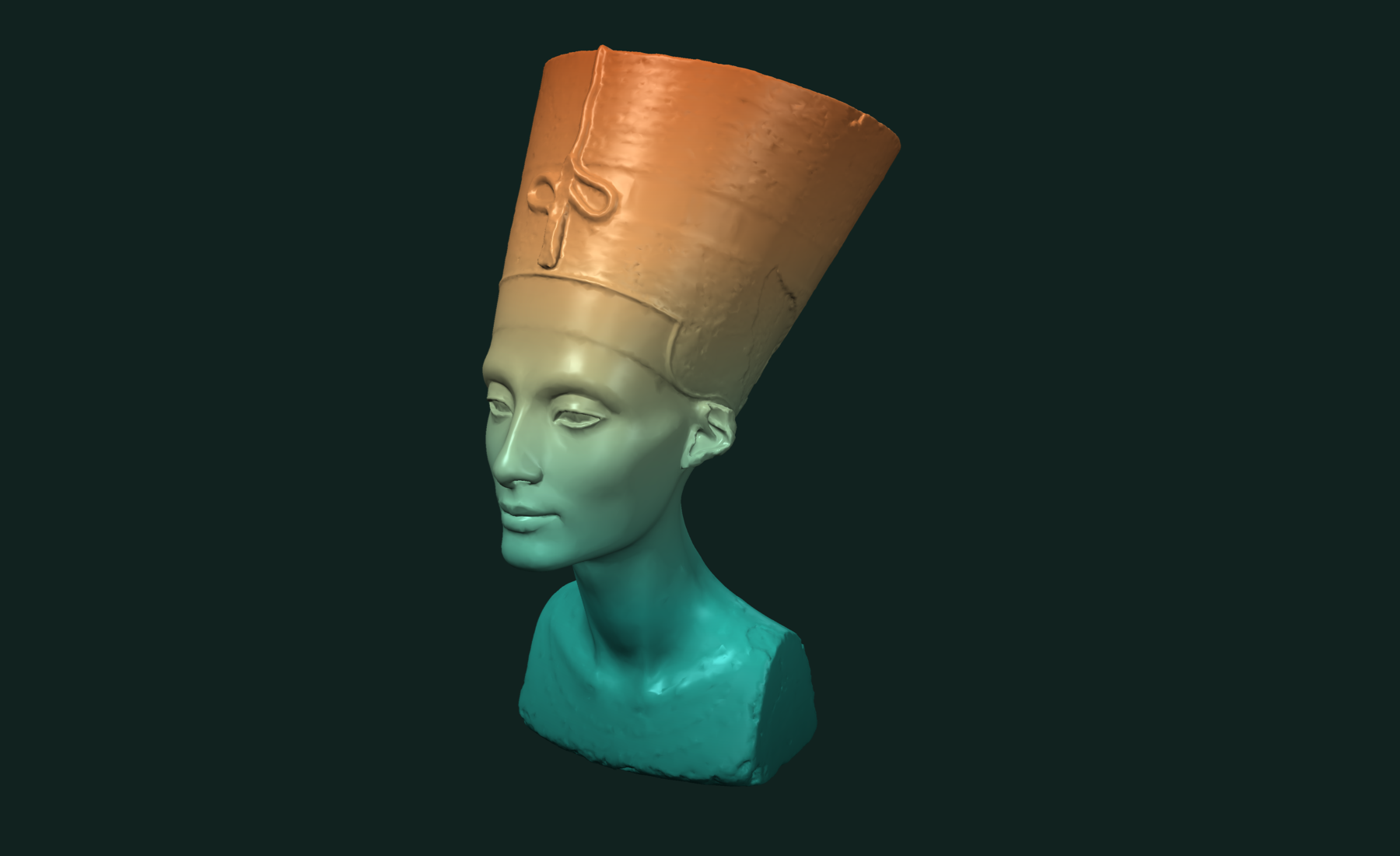
Any field works. A few that come from trueform itself:
// signed distance to the plane x = 0
const plane = tf.plane(tf.vector(1, 0, 0), 0);
const across = tf.distance(tf.point(mesh.points), plane);

// geodesic distance from a point
const seed = tf.ndarray(new Int32Array([mesh.numberOfPoints >> 1]), [1]);
const along = tf.geodesicDistances(mesh, seed);

// shape index, from curvature
const shape = tf.shapeIndex(mesh);
If your field is float64 and the mesh is float32, tf.isocontours throws dtype mismatch. Build the field as a Float32Array, or the mesh with Float64Array points.
One level
const curves = tf.isocontours(mesh, field, 0.0);
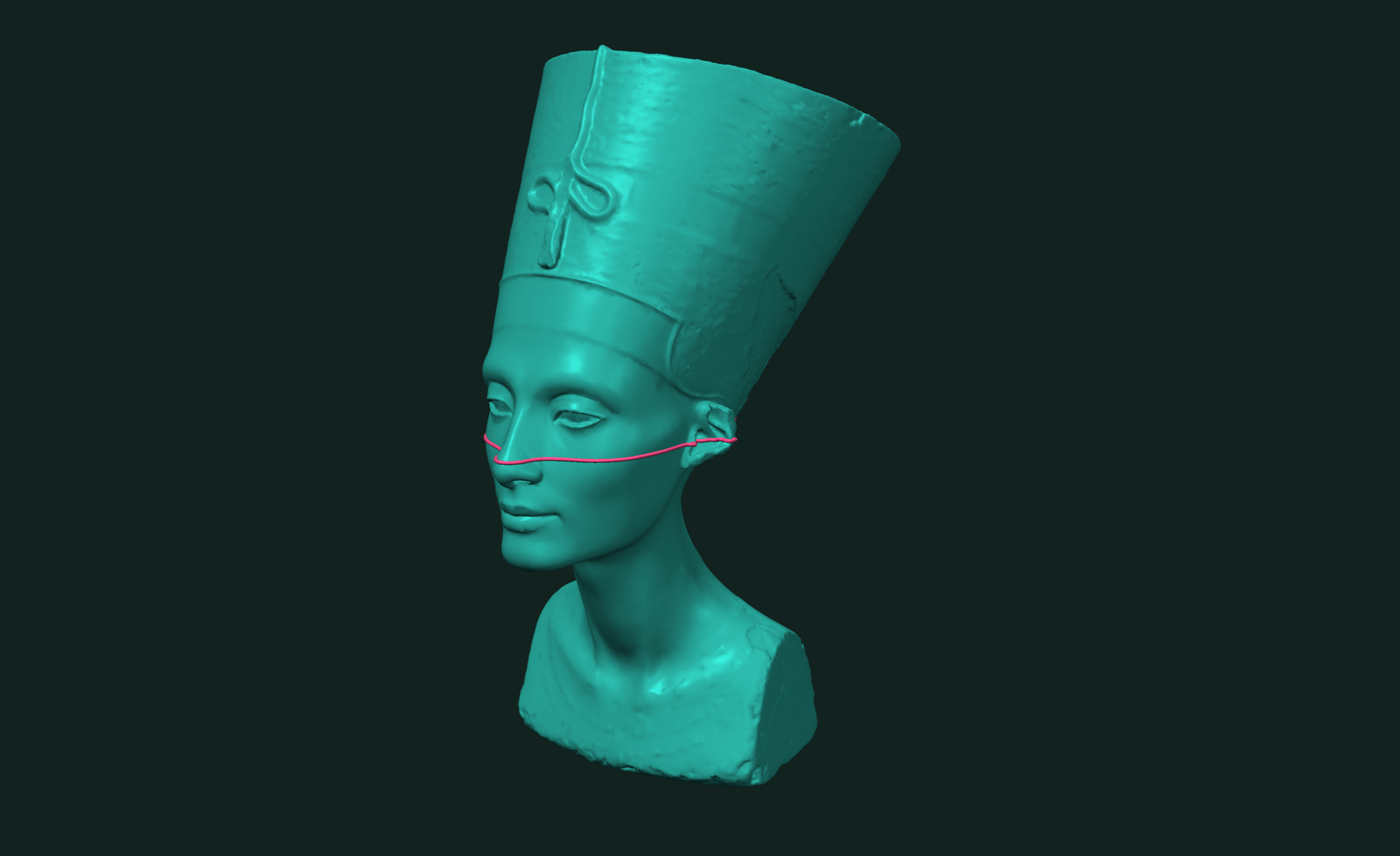
curves.points is an NDArray of shape [n, 3], points on the surface. curves.paths holds one index list per curve:
for (const pathIds of curves.paths) {
  const ids = pathIds.data;                     // Int32Array into curves.points
  const closed = ids[0] === ids[ids.length - 1];  // a closed loop repeats its first id
}
A curve that runs off the edge of an open mesh ends at the boundary. A curve on a closed region closes on itself.
curves.paths is an OffsetBlockedBuffer. For flat arrays, read offsets and data. Curve i is the slice between two offsets:
const offsets = curves.paths.offsets.data;  // Int32Array
const data = curves.paths.data.data;        // Int32Array
const curve = data.subarray(offsets[i], offsets[i + 1]);
Many levels
Pass an array of levels. One call extracts them all.
const levels = tf.linspace(-0.15, 0.15, 7).data;
const curves = tf.isocontours(mesh, field, levels);
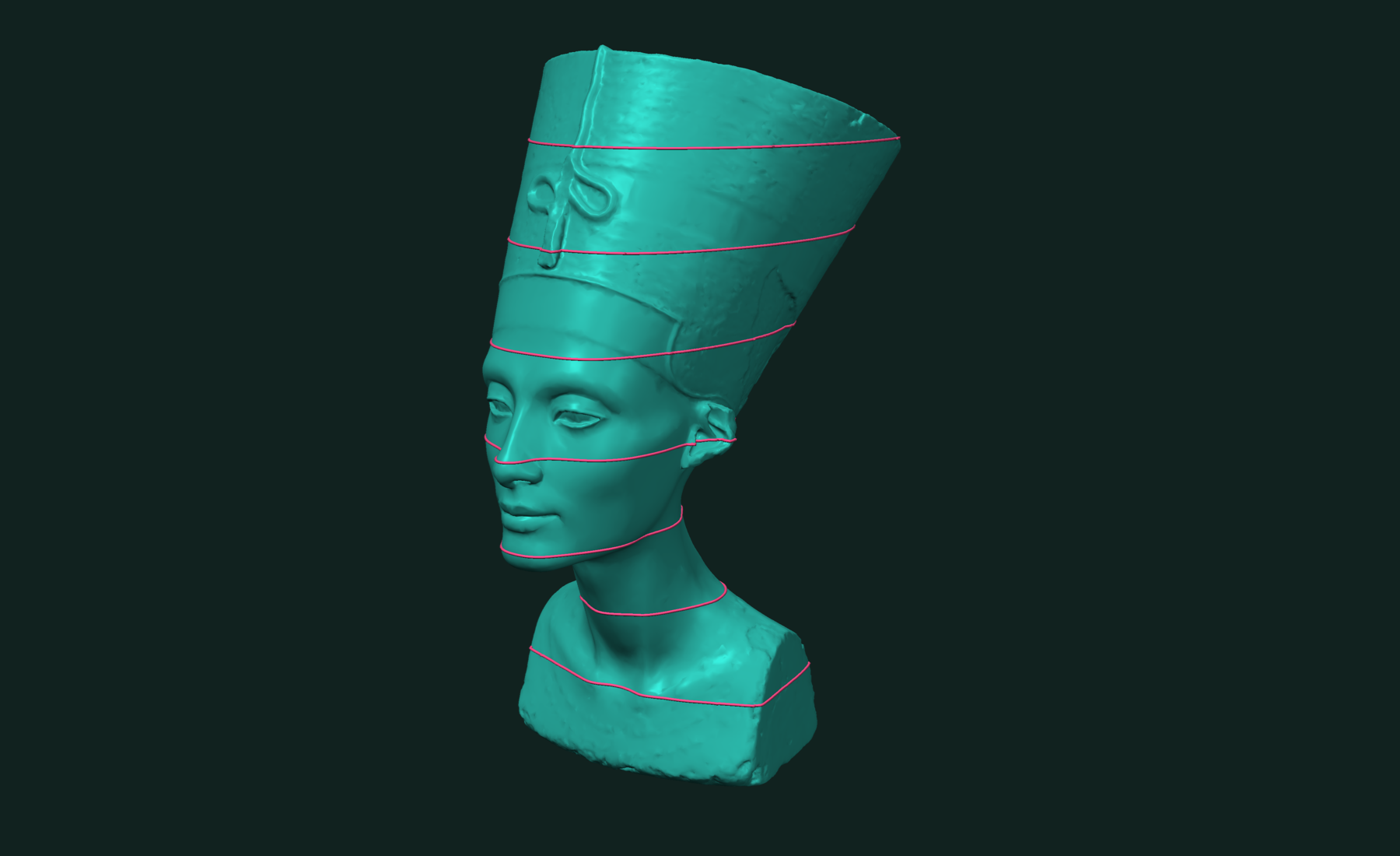
The result does not say which level each curve belongs to, and the curves are not in level order. When you need that, call once per level:
const byLevel = new Map(
  [...levels].map((t) => [t, tf.isocontours(mesh, field, t)]));
For height, you can also read the level from the curve itself: every point on a height contour has the level as its z.
Isobands
Isobands are the regions between levels. tf.isobands cuts the mesh along the isocontours, so the curves become edges, and labels each face by band.
const cuts = [-0.1, 0.0, 0.1];
const { mesh: bands, labels, faceLabels } = tf.isobands(mesh, field, cuts);
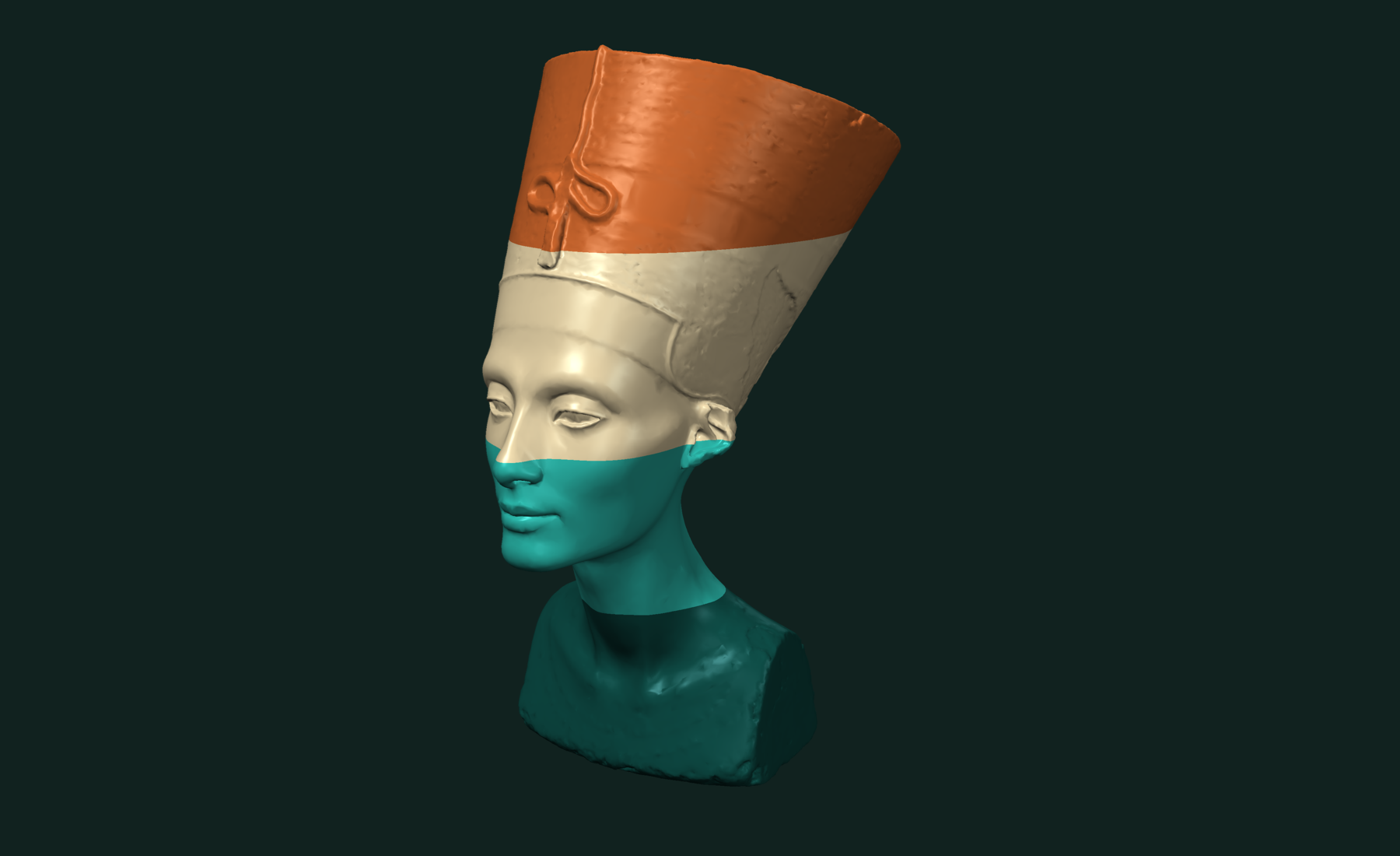
Three cuts give four bands. Band 0 is below -0.1, band 3 is above 0.1. labels gives the band of each output face. faceLabels gives the original face it came from.
Keep only some bands:
const { mesh: outer } = tf.isobands(mesh, field, cuts, { selectedBands: [0, 3] });
Get the boundary curves in the same call:
const { mesh: bands, labels, faceLabels, curves } =
  tf.isobands(mesh, field, cuts, { returnCurves: true });
Off the main thread
Both functions have async variants with the same arguments:
const curves = await tf.async.isocontours(mesh, field, levels);
const { mesh: bands, labels } = await tf.async.isobands(mesh, field, cuts);
Working with results
Split the bands into separate meshes:
const { components, labels: partLabels } = tf.splitIntoComponents(bands, labels);
// components[i] is a Mesh for band partLabels.data[i]
Carry per-face data from the input to the output with faceLabels:
const material = new Int32Array(mesh.numberOfFaces);  // your per-face data
const bandMaterial = Int32Array.from(faceLabels.data, (f) => material[f]);
Write to file:
const objBytes = tf.writeObj(bands).data; // Int8Array, save or download
Contours of height are slices. See mesh slicing and cross-sections for layers and sections. Contours of geodesic distance are rings. Contours of the shape index separate cups, saddles, and caps. To cut one mesh by another mesh instead of by a field, use booleans.
Related tutorials
- Fast and Accurate Geodesic Distances in JavaScript — distance along the surface from one seed or many.
- Fast and Robust Mesh Slicing and Cross-Sections in JavaScript — plane sections, layers and slabs of a mesh.
- Fast and Robust Principal Curvatures of a Mesh in JavaScript — curvature values and directions at every vertex.
- Fast and Exact Mesh Intersection Curves in JavaScript — exact curves where two or more meshes cross.
Performance
Apple M4 Max 16 threads Node.js WebAssembly
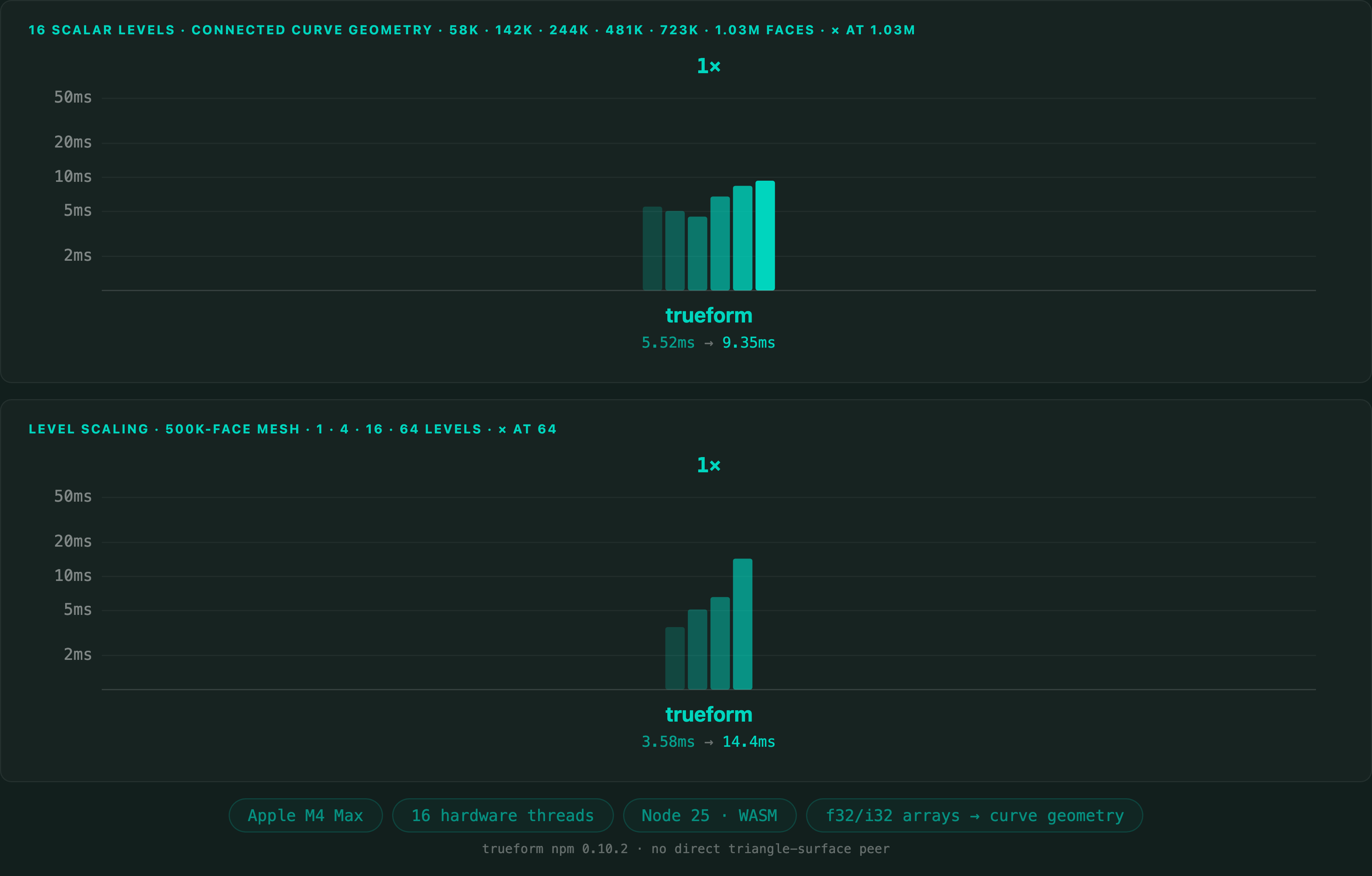
Isocontours on a 1,025,766-polygon mesh take 9.4 ms in Node.js. The JavaScript benchmark has no direct competitor on triangle surfaces, so there is no comparison here. The same core is measured against VTK on the Python and C++ pages.
Full benchmarks · Documentation
@article{polydera:isocontours-on-a-triangle-mesh-in-javascript,
  title={Fast and Robust Isocontours on a Triangle Mesh in JavaScript},
  author={Sajovic, {\v{Z}}iga, Polydera},
  year={2026},
  url={https://polydera.com/tutorials/isocontours-on-a-triangle-mesh-in-javascript},
  organization={Polydera}
}