Fast and Robust Closest Point on a Mesh in Python
Find the closest point on a triangle mesh, the face it lies on, and the distance, for one point or a million, in Python. One pip install, NumPy arrays in and out.
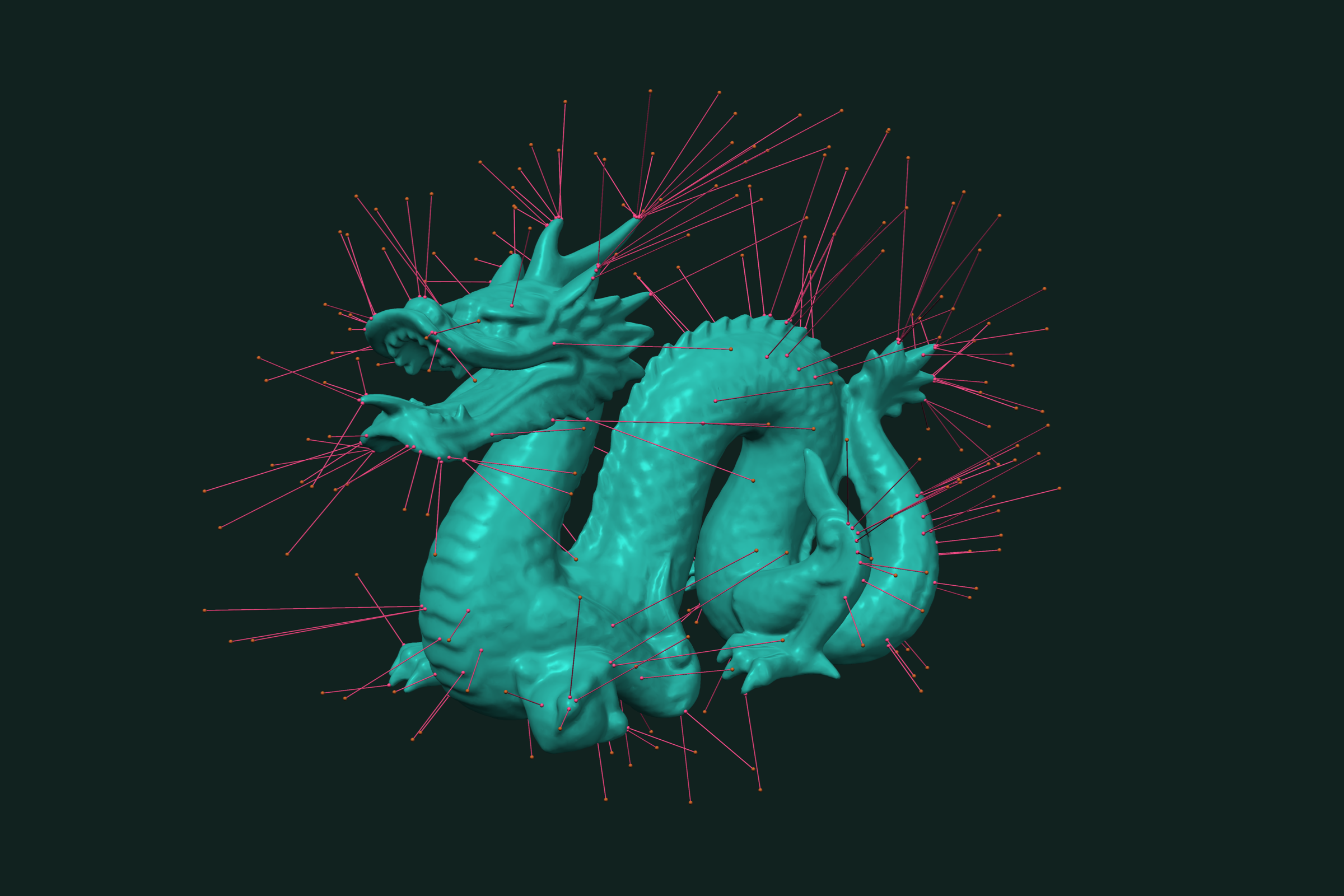
A closest-point query takes a point in space and returns the nearest point on a mesh surface, the face it lies on, and the distance. It is the base of projection, snapping, distance checks, and scan-to-CAD comparison. trueform does it with one pip install. NumPy arrays in, NumPy arrays out. This page covers single queries, batch queries over many points, radius-limited search, k-nearest faces, and posed meshes.
Install
pip install trueform
See the installation guide for all options.
Loading the mesh
import numpy as np
import trueform as tf

mesh = tf.Mesh(*tf.read_stl("part.stl"))
tf.read_stl returns (faces, points) as NumPy arrays. tf.read_obj works the same way. If you already have arrays, pass them to tf.Mesh(faces, points) directly. Points are float32 by default.
One point
tf.neighbor_search finds the nearest face of the mesh to a query point:
query = tf.Point(np.array([0.0, 0.0, 2.0], dtype=np.float32))

face_id, dist2, closest = tf.neighbor_search(mesh, query)
distance = np.sqrt(dist2)
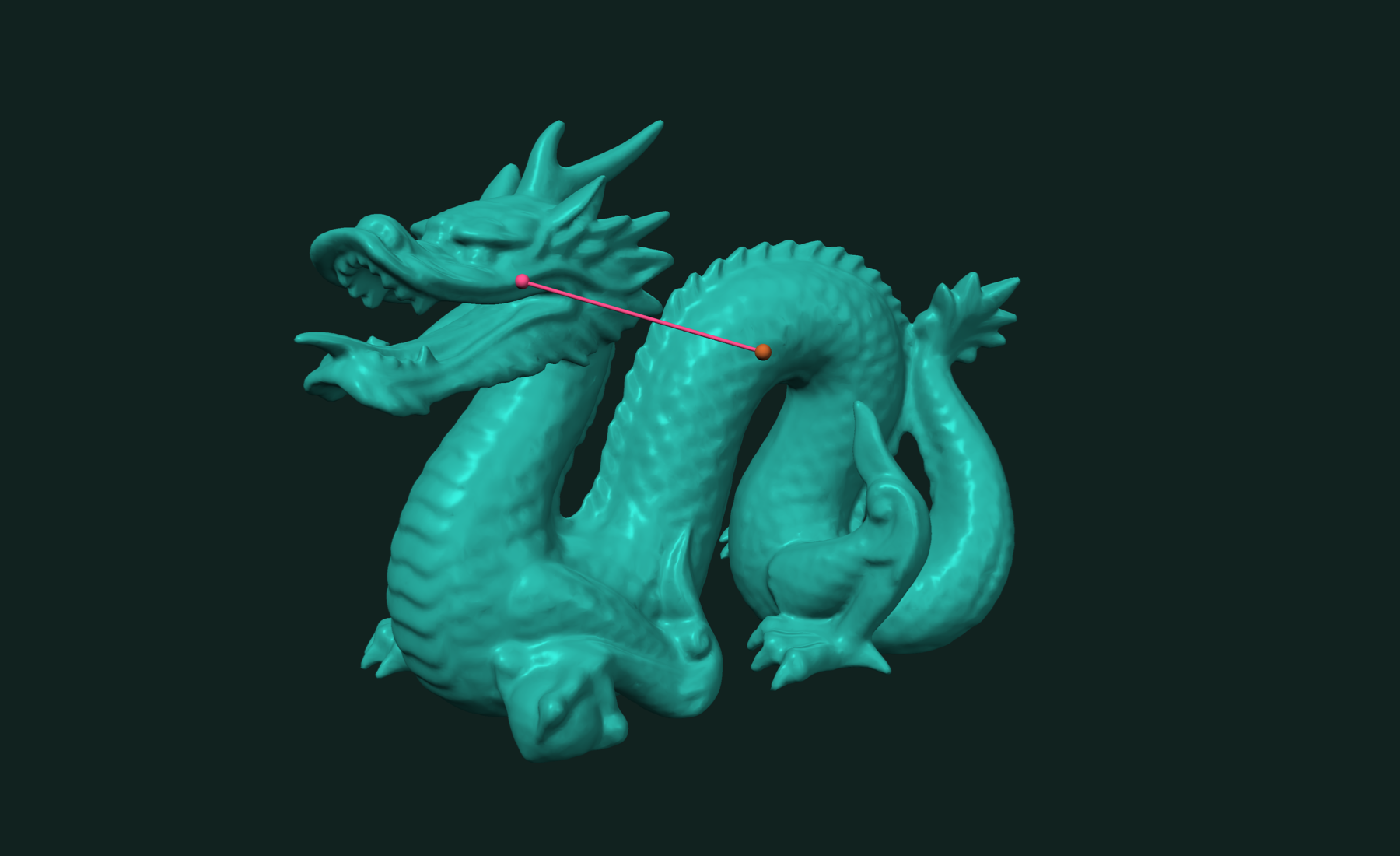
It returns three values. face_id is the index of the nearest face. dist2 is the squared distance. closest is the point on that face, shape (3,).
The query and the mesh must share a dtype. A Python list of floats becomes float64, so build query points with dtype=np.float32 when the mesh is float32. A mismatch raises a TypeError.
Many points at once
Wrap an (N, 3) array in tf.Point and pass it in one call. This is the fast form: one call, all queries run in parallel against the mesh's spatial tree.
rng = np.random.default_rng(0)
queries = rng.uniform(-1.5, 1.5, size=(100_000, 3)).astype(np.float32)

face_ids, dist2s, closest_pts = tf.neighbor_search(mesh, tf.Point(queries))
# face_ids.shape    == (100000,)   int32
# dist2s.shape      == (100000,)   float32
# closest_pts.shape == (100000, 3) float32
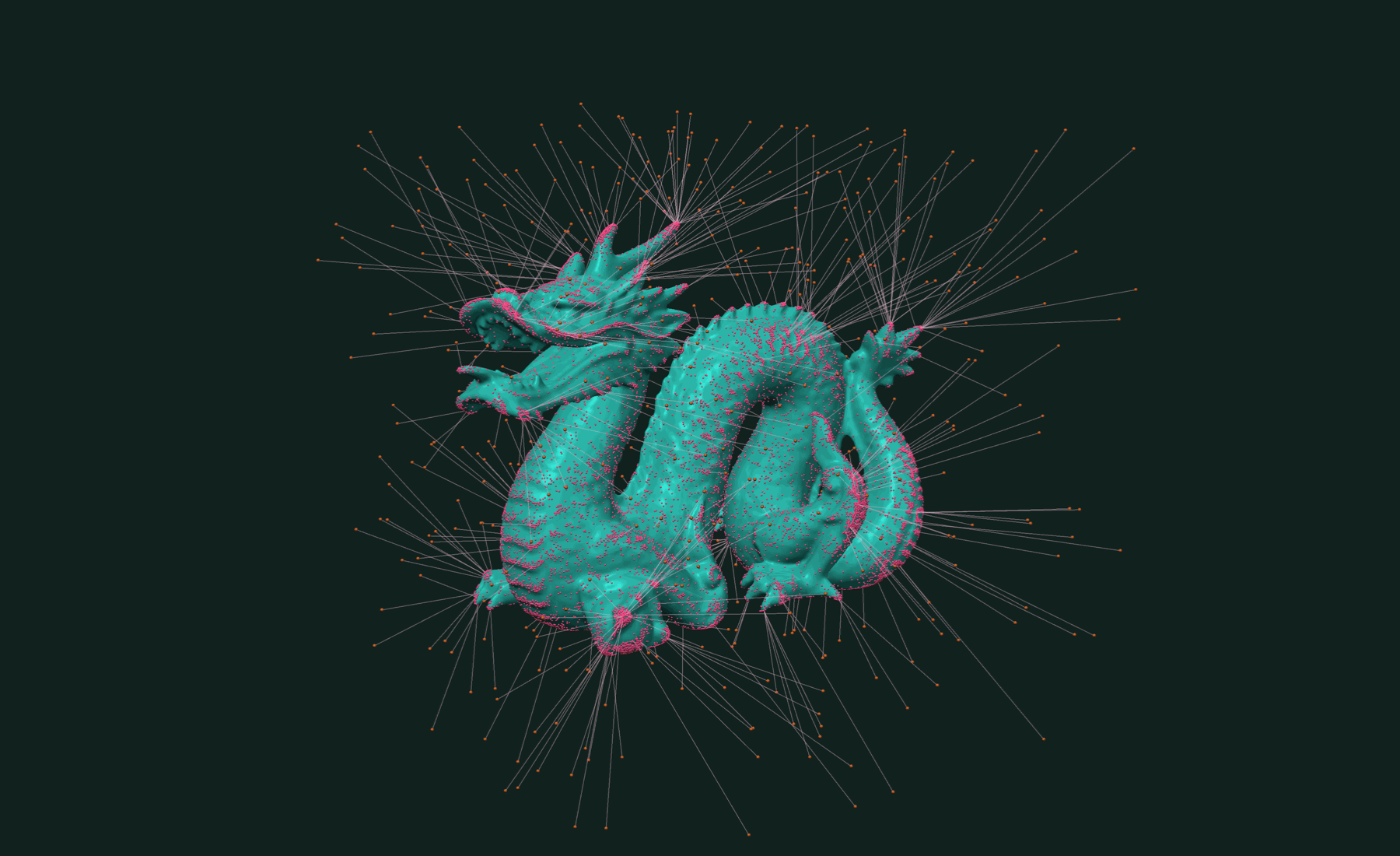
Pass the batch as tf.Point(...). A bare (N, 3) array is rejected; a bare (3,) array is read as one point.
The spatial tree is built on the first query and cached on the mesh. To pay that cost at a time you choose, build it first:
mesh.build_tree()
If you only need distances, tf.distance and tf.distance2 take the same batch and return one array:
distances = tf.distance(mesh, tf.Point(queries)) # shape (100000,)
Search within a radius
Pass radius to ignore anything farther away. A single query returns None when nothing is in range:
result = tf.neighbor_search(mesh, query, radius=0.5)
if result is not None:
    face_id, dist2, closest = result
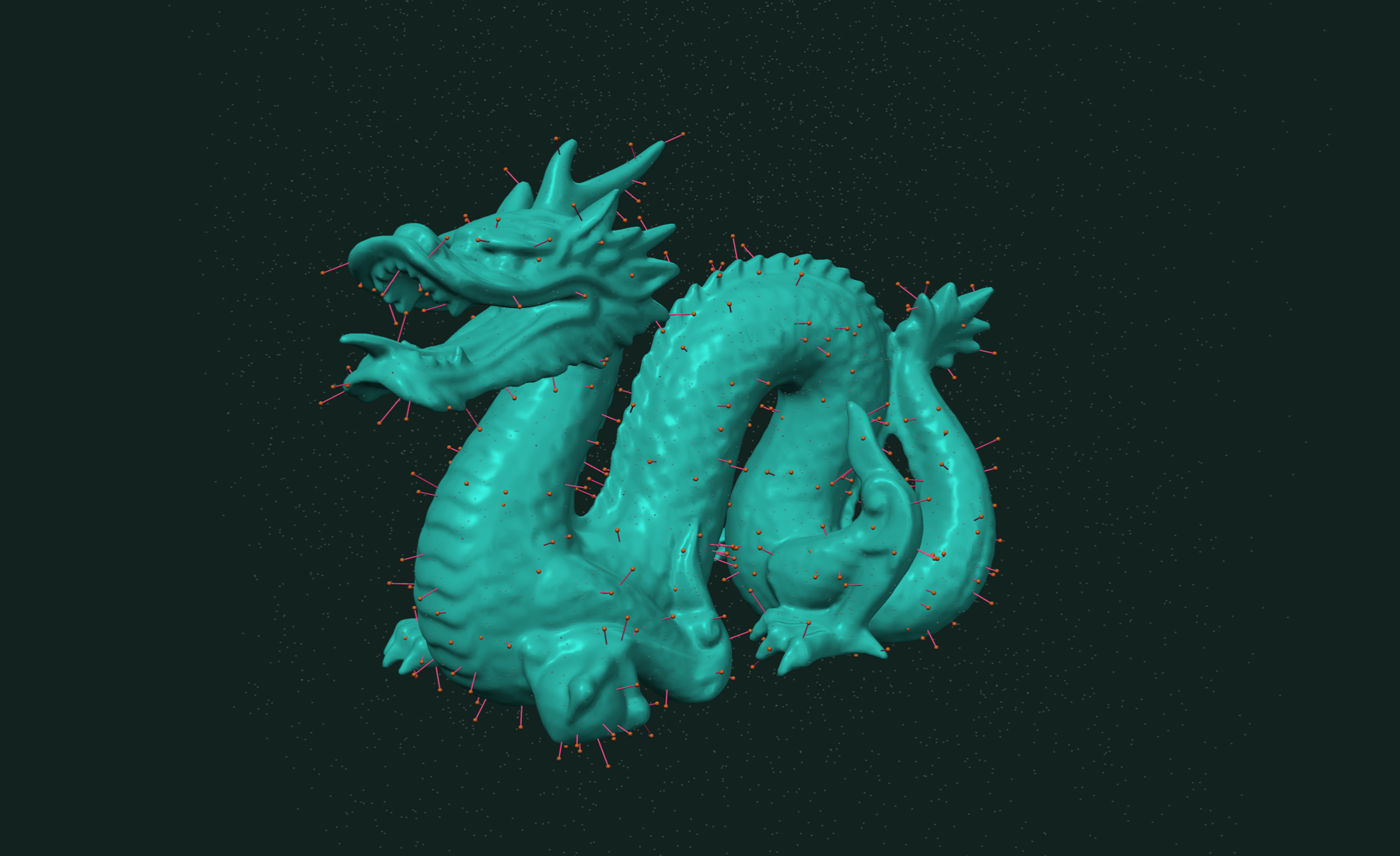
In a batch, misses come back as -1 in the ids and inf in the squared distances:
face_ids, dist2s, closest_pts = tf.neighbor_search(
    mesh, tf.Point(queries), radius=0.1)
near = face_ids >= 0
A tight radius also prunes the search. Use it when you know the scale you care about, as in snapping or contact checks.
k nearest faces
Pass k to get the k nearest faces per query, sorted by distance:
ids, dist2s, pts, counts = tf.neighbor_search(mesh, tf.Point(queries), k=4)
# ids.shape == (100000, 4), pts.shape == (100000, 4, 3)
# counts[i] is the number of valid neighbors for query i
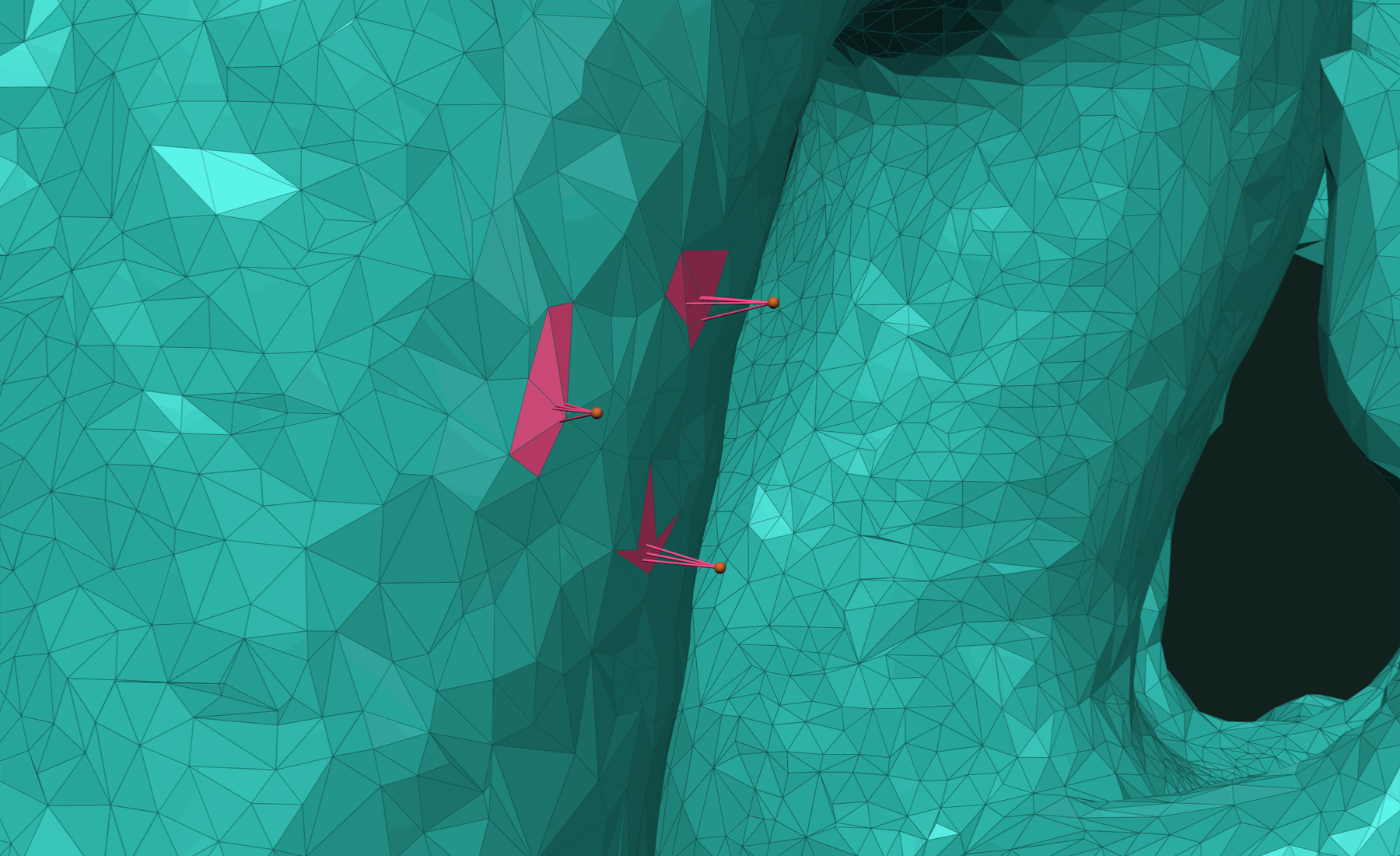
With radius set, counts[i] can be less than k. Unused id slots hold -1.
Posed meshes
Set a 4×4 transformation on the mesh and queries run in world space. The tree is not rebuilt. A shared view carries its own pose over the same data:
T = np.eye(4, dtype=np.float32)
T[:3, 3] = [5.0, 0.0, 0.0]

moved = mesh.shared_view()
moved.transformation = T

face_id, dist2, closest = tf.neighbor_search(
    moved, tf.Point(np.array([5.0, 0.0, 2.0], dtype=np.float32)))
closest is in world space.
Working with results
The face ids index straight into per-face data. Face normals are one lookup:
face_ids, dist2s, closest_pts = tf.neighbor_search(mesh, tf.Point(queries))
normals = mesh.normals[face_ids]          # (100000, 3)
distances = np.sqrt(dist2s)
offsets = queries - closest_pts           # vector from surface to query
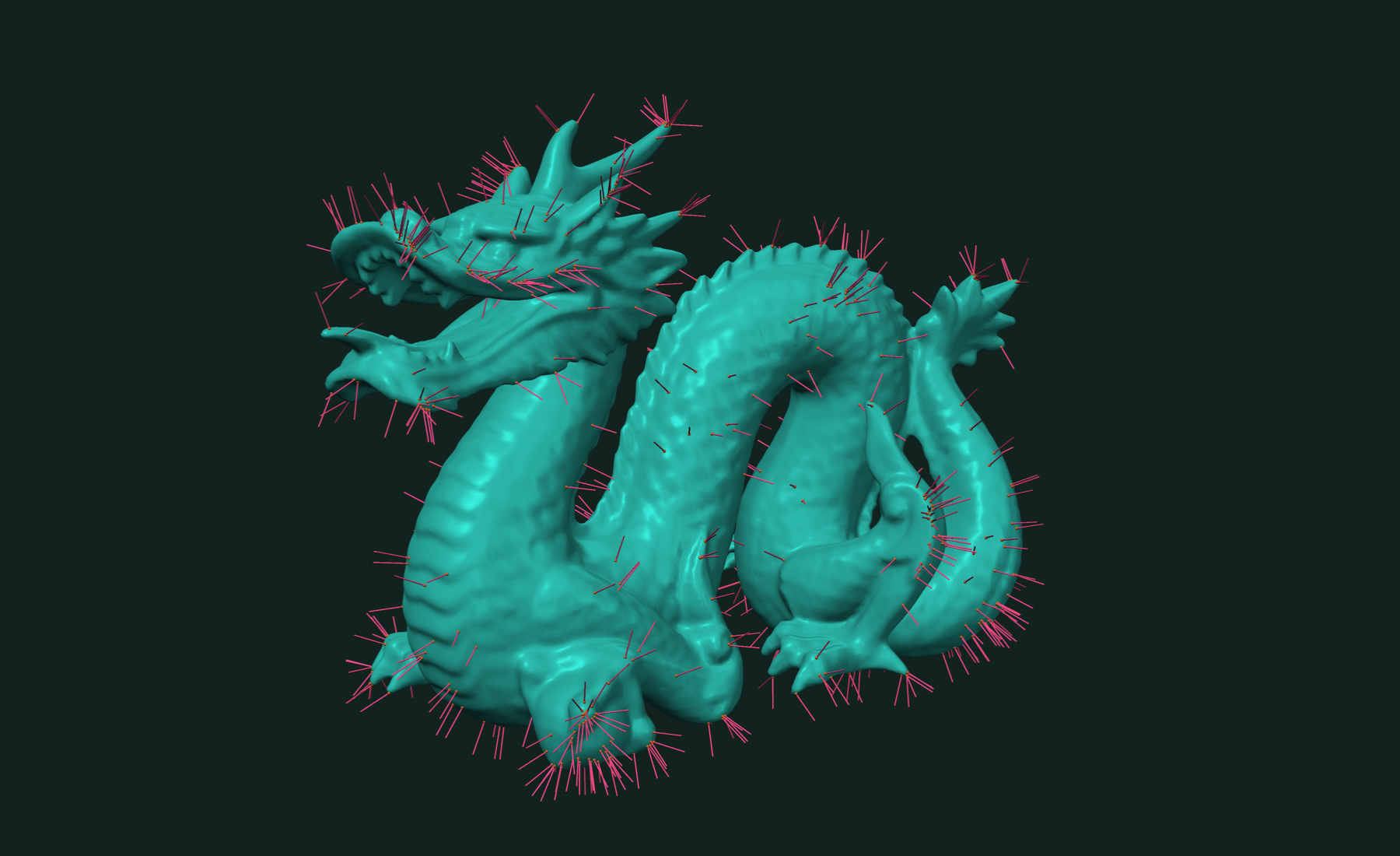
Project points onto the surface by replacing them with closest_pts. Report scan deviation as distances.
The distance here is unsigned. For inside and outside, use signed distance. For the closest pair between two meshes, pass a second mesh as the query: tf.neighbor_search(mesh_a, mesh_b) returns ((id_a, id_b), (dist2, pt_a, pt_b)). The collision detection page covers that case.
For single primitives there is tf.closest_metric_point(a, b). It takes primitives such as a Triangle or Segment, not a mesh, and returns (dist2, point_on_a):
tri = tf.Triangle(a=np.array([0, 0, 0], dtype=np.float32),
                  b=np.array([1, 0, 0], dtype=np.float32),
                  c=np.array([0, 1, 0], dtype=np.float32))
dist2, pt = tf.closest_metric_point(tri, tf.Point(queries))   # batch works too
Related tutorials
- Fast and Robust Mesh Collision Detection in Python — do two meshes touch, how far apart, and where.
- Fast and Accurate Geodesic Distances in Python — distance along the surface from one seed or many.
- Fast Connected Components in Python — split a mesh into parts and find its boundary loops.
- Fast STL and OBJ Reading in Python — load and write meshes, the first step of every pipeline.
Performance
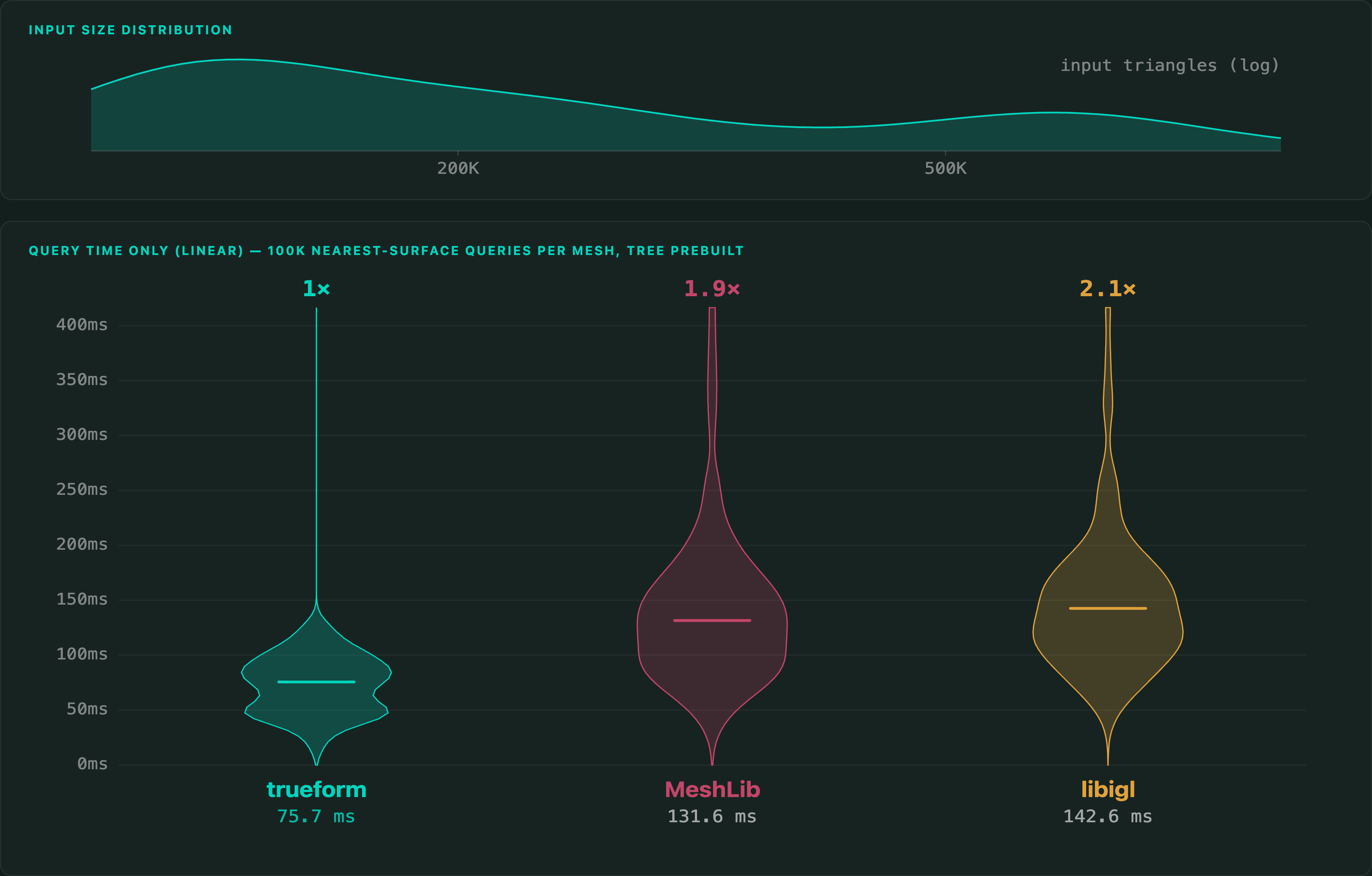
The benchmark runs 100,000 queries against each of 100 meshes and compares with libigl's AABB tree. Both trees are built before the timer starts.
Apple M4 Max 16 threads
The meshes range from 100,368 to 938,940 triangles. The query points fall in each mesh's bounding box, grown by 20 %, so some lie far from the surface.
Full benchmarks · Documentation
@article{polydera:fast-closest-point-on-a-mesh-in-python,
  title={Fast and Robust Closest Point on a Mesh in Python},
  author={Sajovic, {\v{Z}}iga, Polydera},
  year={2026},
  url={https://polydera.com/tutorials/fast-closest-point-on-a-mesh-in-python},
  organization={Polydera}
}