Fast and Accurate Geodesic Distances in Python
Compute geodesic distances on a triangle mesh in Python. Distance along the surface from one seed or many, bounded by a radius, in float32 or float64. One pip install, NumPy arrays in and out.
A geodesic distance is the distance from a point to a seed, measured along the surface of a mesh. Straight-line distance cuts through the object. Geodesic distance walks over it. trueform computes it with one call, tf.geodesic_distances, new in version 0.10.8. One pip install. NumPy arrays in, NumPy arrays out. This tutorial covers one seed, many seeds, a bounded radius, float32 and float64, and turning distances into rings and patches.
Install
pip install trueform
You need version 0.10.8 or later. See the installation guide for all options.
Loading the mesh
import trueform as tf
import numpy as np

mesh = tf.Mesh(*tf.read_stl("part.stl"))
tf.read_obj works the same way. If you already have NumPy arrays, pass them to tf.Mesh(faces, points). To follow along without a file, make a unit sphere:
faces, points = tf.make_sphere_mesh(1.0, 200, 400)
mesh = tf.Mesh(faces, points)
Distance from one seed
A seed is a point id. The result has one distance per point.
d = tf.geodesic_distances(mesh, [0])
# d: np.ndarray, shape (num_points,), the mesh's dtype
# d[0] == 0.0
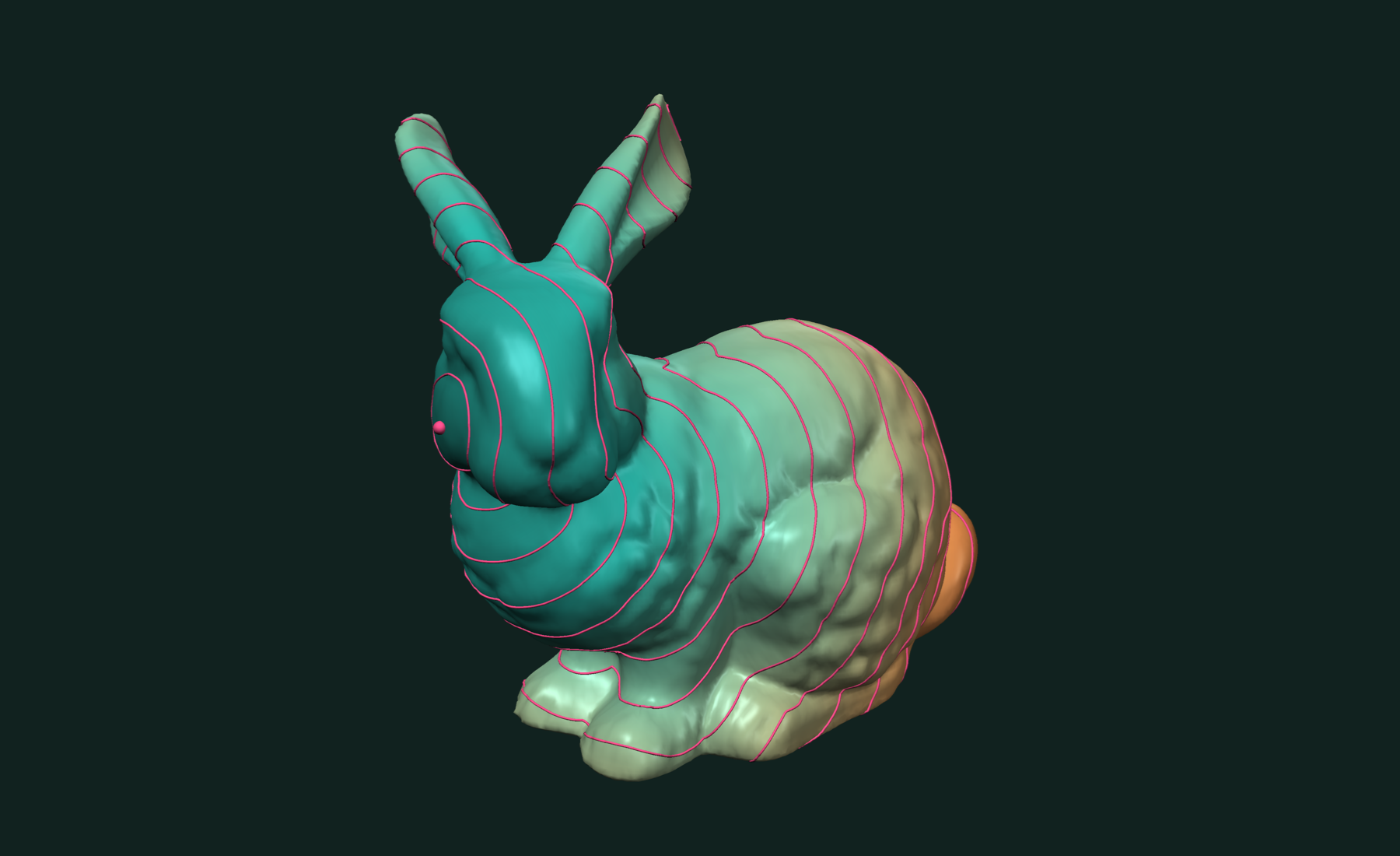
The distance is zero at the seed. On the unit sphere, the farthest point is the opposite pole, at a distance close to π.
You can check the result on this sphere. The exact geodesic distance on a unit sphere is the great-circle angle:
exact = np.arccos(np.clip(points @ points[0], -1.0, 1.0))
print(np.abs(d - exact).max())
The difference is small, and it shrinks as the sphere gets finer.
Most of the time the seed is a position, not an id. Find the nearest mesh point first:
cloud = tf.PointCloud(mesh.points)
seed, dist2, _ = tf.neighbor_search(
    cloud, np.array([0.0, 0.0, -1.0], dtype=np.float32))

d = tf.geodesic_distances(mesh, [seed])
Distance from many seeds
Pass several ids. Each point gets the distance to its nearest seed.
The seeds can be a whole curve. Then the field is the distance from that curve, measured along the surface. That is the distance from an edge: an offset from a trim line, a falloff from a seam.
Take the bunny and cut it in half. The cut is the boundary of the half. Its points are the seeds:
bunny = tf.Mesh(*tf.read_stl("bunny.stl"))

# cut it at the middle height; the bunny stands along y
height = bunny.points[:, 1]
middle = 0.5 * (height.min() + height.max())
(faces, points), _, _ = tf.isobands(bunny, height, middle, selected_bands=[1])
half = tf.Mesh(faces, points)

# the cut is the open boundary of the half
cut = tf.boundary_paths(half).data   # point ids on the cut
from_cut = tf.geodesic_distances(half, cut)
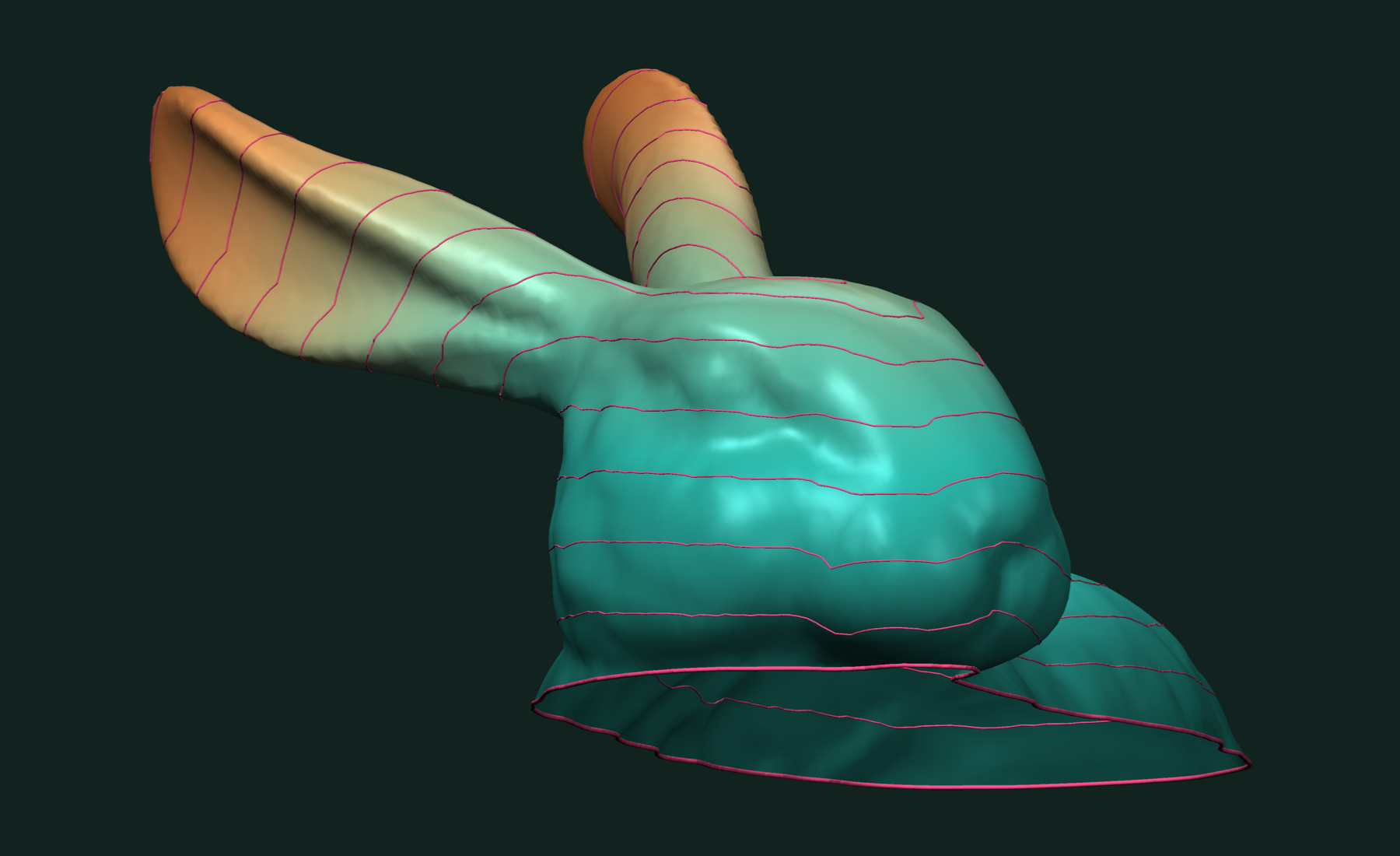
Keep the top band. The bunny has holes in its base, so the top half has one boundary: the cut. The ids index the half's own points, so nothing maps back. The distance is zero on the cut and grows toward the ear tips.
One call handles all the seeds, here a few hundred. You do not loop over them. Isocontours of the field are curves parallel to the cut:
levels = np.array([1.0, 2.0, 3.0], dtype=np.float32)
paths, curve_points = tf.isocontours(half, from_cut, levels)
Bounded by a radius
Often you only care about the neighborhood of a seed. Pass radius. The front stops there.
near = tf.geodesic_distances(mesh, [0], radius=0.5)

inside = np.isfinite(near)
region = np.flatnonzero(inside)   # point ids within 0.5 of the seed
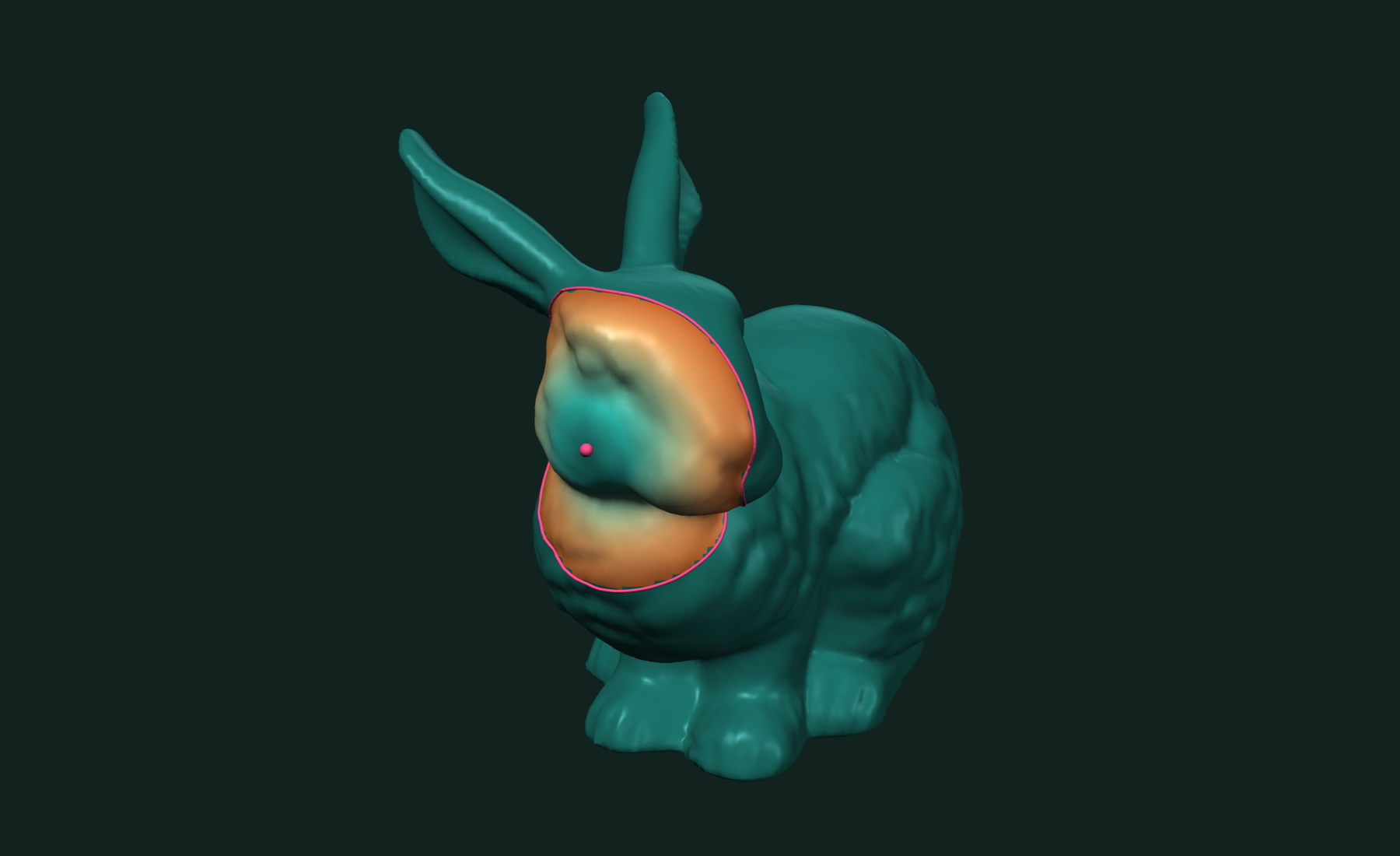
Points past the radius get inf. So do points on a piece of the mesh the seed is not connected to, with or without a radius. Test with np.isfinite, not with a comparison to a large number.
float32 or float64
The result has the mesh's dtype. A float32 mesh gives float32 distances. A float64 mesh gives float64 distances.
mesh32 = tf.Mesh(faces, points.astype(np.float32))
mesh64 = tf.Mesh(faces, points.astype(np.float64))

d32 = tf.geodesic_distances(mesh32, [0])   # float32
d64 = tf.geodesic_distances(mesh64, [0])   # float64
tf.read_stl and the mesh generators give float32 by default. The benchmark below ran in float32.
Distances are measured in the stored coordinates. A transformation set on the mesh does not change them.
Working with results
The distance field is a plain NumPy array, one value per point. Any scalar-field tool takes it.
Draw rings of equal distance with isocontours:
levels = np.array([0.25, 0.5, 1.0], dtype=np.float32)
paths, curve_points = tf.isocontours(mesh, d, levels)

for path_ids in paths:
    ring = curve_points[path_ids]   # (n, 3) points along one ring
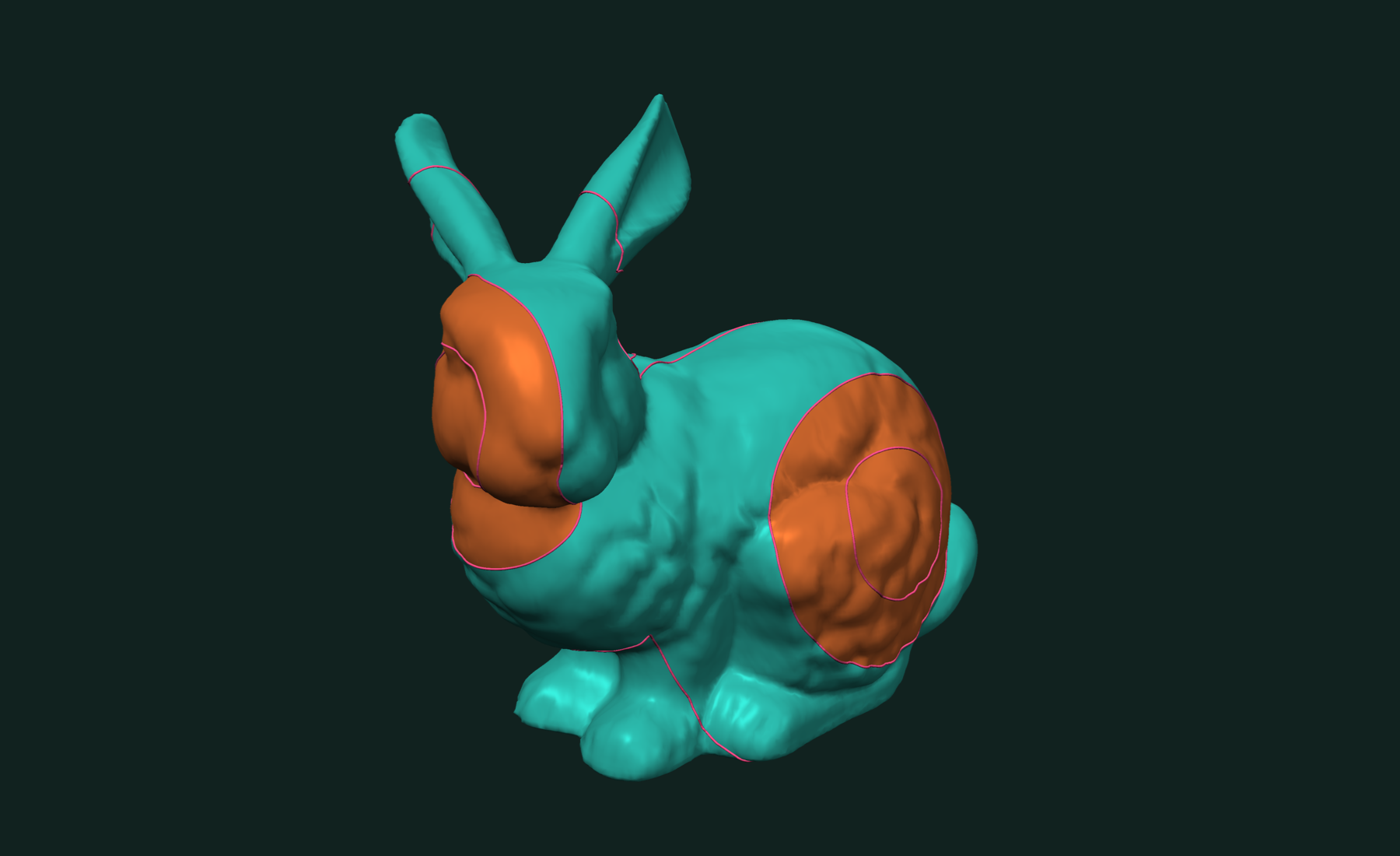
The level values must have the mesh's dtype. The paths do not come back in level order. If you need to know which ring is which, call tf.isocontours once per level.
Cut out the patch within a distance as its own mesh with isobands:
(patch_faces, patch_points), labels, face_labels = tf.isobands(
    mesh, d, np.array([0.5], dtype=np.float32), selected_bands=[0])

tf.write_obj((patch_faces, patch_points), "patch.obj")
Band 0 is everything below 0.5. The patch boundary is cut exactly at the 0.5 ring. face_labels maps each patch face back to its source face.
The field also feeds the curvature and boolean tools in the same library, so a whole pipeline stays in NumPy.
About other methods
People search for the heat method, fast marching, or exact MMP geodesics. They all answer the same question: distance along the surface from seeds. tf.geodesic_distances runs a label-correcting front with a triangle-unfolding update. It is not the heat method. Our accuracy numbers below are measured against exact MMP distances.
Related tutorials
- Fast and Robust Isocontours on a Triangle Mesh in Python — curves and bands of equal value on a scalar field.
- Fast and Robust Principal Curvatures of a Mesh in Python — curvature values and directions at every vertex.
- Fast and Robust Mesh Slicing and Cross-Sections in Python — plane sections, layers and slabs of a mesh.
- Fast and Robust Closest Point on a Mesh in Python — nearest surface point for a batch of queries.
Performance
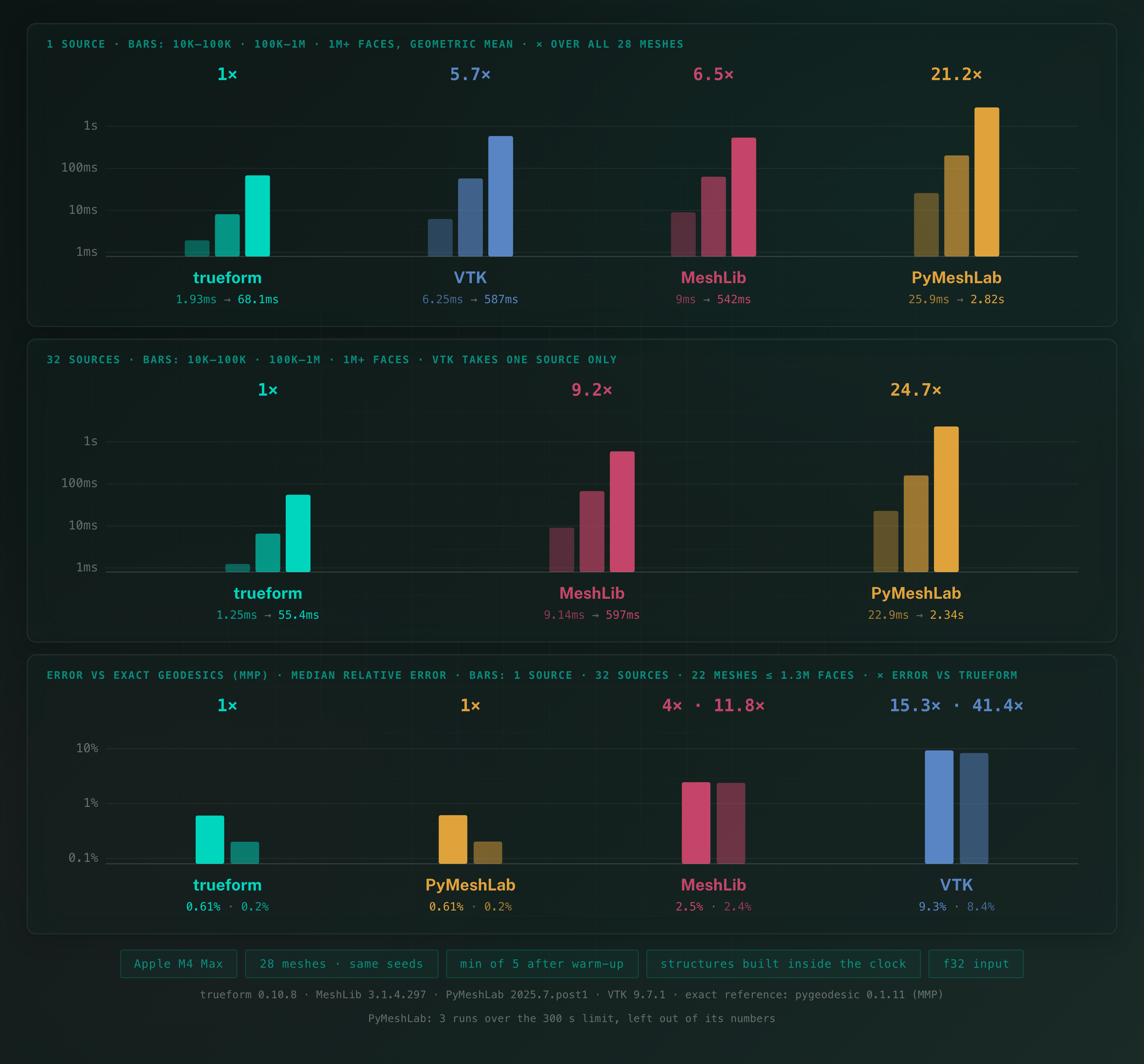
We measured 28 meshes from Thingi10K, from 10K to 3.2M faces, against MeshLib's computeSurfaceDistances. Error is measured against exact MMP geodesics.
Apple M4 Max 16 threads
Error is the relative error per point against exact MMP distances, on the 22 meshes (up to 1.3M faces) small enough to have an exact reference. Each mesh's median error, averaged over the meshes, is 0.61 % from one seed and 0.2 % from 32 seeds. MeshLib's is 2.5 % and VTK's 9.3 % from one seed; PyMeshLab matches trueform's accuracy at 21× the time.
Full benchmarks · Documentation
@article{polydera:fast-geodesic-distances-in-python,
  title={Fast and Accurate Geodesic Distances in Python},
  author={Sajovic, {\v{Z}}iga, Polydera},
  year={2026},
  url={https://polydera.com/tutorials/fast-geodesic-distances-in-python},
  organization={Polydera}
}